Six native bindings.
React, Vue, Angular, Svelte, Solid, or vanilla JavaScript. Thin lifecycle adapters keep format logic in one place.
See the code →Public beta · Apache-2.0 · TypeScript
Bring Visio diagrams into your web app. Explore pages, inspect shapes, and make supported plain-text edits with one shared viewer.
$ npm run devSetup →
Public beta. No document uploads.
Full Microsoft Visio parity remains a target.
One SVG rendererSame component, every framework
Local by designYour documents stay in your browser
Visible limitationsCode, evidence, and gaps tracked together
Try it here
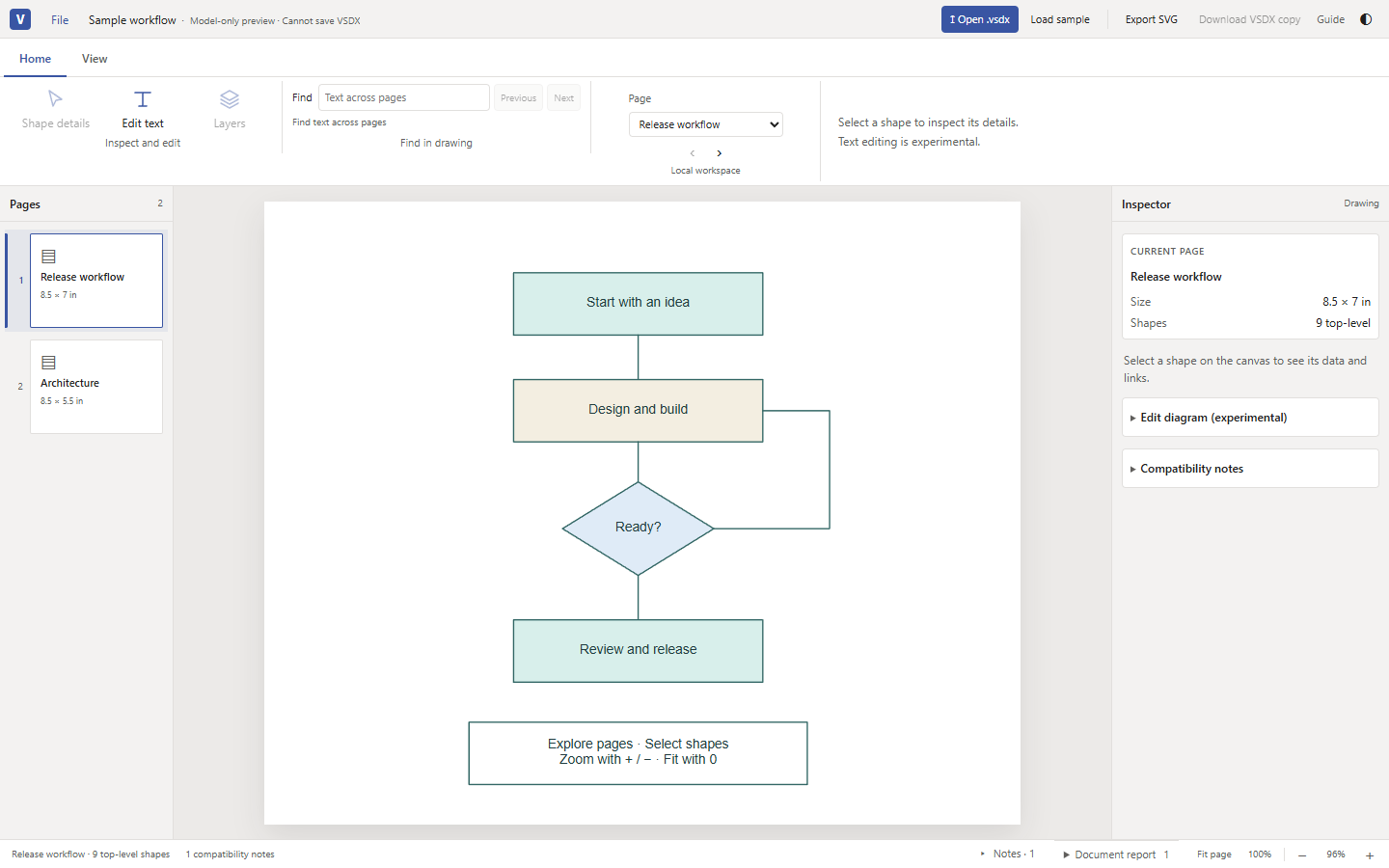
The real beta viewer, embedded live, using the same component as the full workspace. Open a local .vsdx, switch pages, zoom, and inspect supported shapes. Files stay on your device.
Load the viewer to explore the original sample or open your own drawing.
Built around your application
The same document model, rendering path, and interactions wherever you embed it.
React, Vue, Angular, Svelte, Solid, or vanilla JavaScript. Thin lifecycle adapters keep format logic in one place.
See the code →Switch pages, fit and zoom, select shapes, search visible text, and adjust supported layer visibility.
Open the playground →Open a local .vsdx file and export the current page as SVG. No document uploads, telemetry, or remote document loading.
Explore exports →Experimental source-backed plain-text replacement, bounded undo/redo, and original or edited VSDX copies.
Read editing limits →Early implementationGeneral drawing, full ShapeSheet recalculation, legacy .vsd, and native Visio reopen fidelity are not established by this preview. Check the capability ledger.
A familiar place to start
Use the shared vanilla mount or a native framework component. Each adapter forwards the same properties, events, and imperative handle.
Install one viewer package for your framework. Each includes the shared viewer, its adapter, workers and document API.
Read the integration guide →import { mountViewer } from 'visio-vanilla-viewer';
const viewer = mountViewer(host, {
events: { 'document-error': console.error },
});
await viewer.load(file); // A local File or bytes
viewer.fit();
// When your view unmounts:
viewer.destroy();Give the host a height. Mount on the client. Native components manage their own cleanup. Runtime coverage is documented separately from browser and visual fidelity.
Before you begin
A useful preview, with the boundaries in plain sight.
No. This is an early implementation. Supported cached geometry, text, and images are rendered through one SVG path. Complex documents still have gaps; the capability ledger separates implementation, evidence, and missing work.
No. The viewer reads the File you select in your browser. There are no document uploads, telemetry, or remote-document fetches. The site serves its own assets and the original sample locally.
Experimental plain-text editing is available for supported, source-backed shapes, with bounded undo/redo and explicit VSDX-copy downloads. Master-linked text, rich text, fields, signed packages, and macro content are rejected. The source file is never overwritten. Native Visio reopening remains unverified.
The UI exports current-page SVG and original or edited VSDX copies. The API can prepare immutable page snapshots for a future print workflow; it does not open a print dialog. PDF, bitmap export, and native printer layout are not implemented.
No. This original, programmatically created sample demonstrates interactions. Generated fixtures do not establish Microsoft Visio visual parity. Compare important drawings with their native Visio rendering.
Start with a diagram
Public beta. Compatibility is a work in progress.