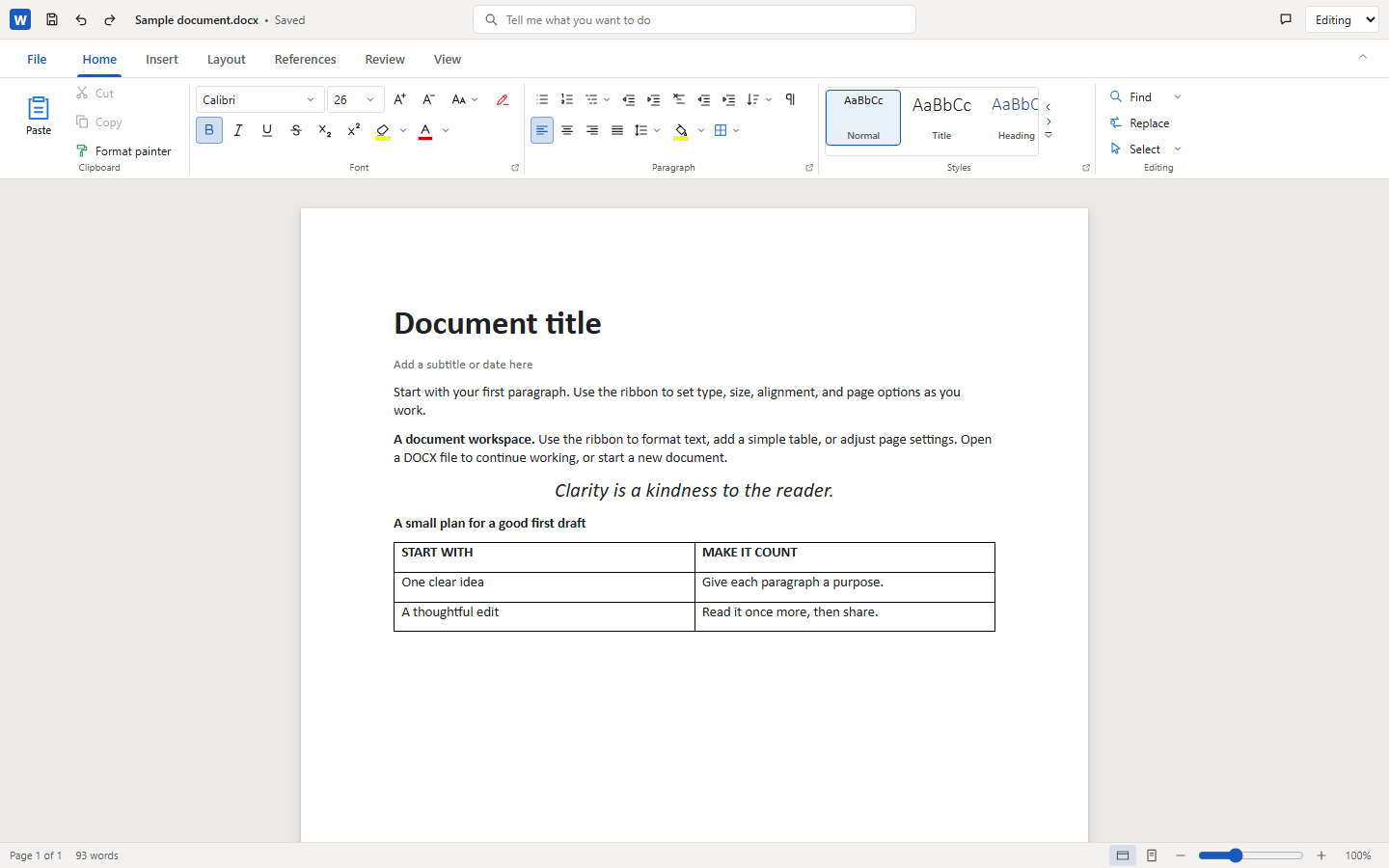
One shared editor
A Word-style ribbon, title bar, File backstage, and status bar live in one web component, with undo/redo, find and replace, zoom, and a read-only mode. Bindings add no UI of their own.
Architecture →Early implementation · Apache-2.0 · TypeScript
A browser Word editor for React, Vue, Angular, Svelte, Solid, and vanilla JavaScript. One document model and one ProseMirror-backed <docx-editor> web component do the work; the framework adapters only wire up lifecycle and events.
docx-react-viewerNot on npm yet. The Word packages are unpublished, so these are the intended import paths. Build from the repository to try them today.
Live demo
This is the real editor running in your browser: the demo app built from this repository for each framework adapter, embedded live. Open the sample document, or split the view to see two local peers share one document.
Features
A Word-style ribbon, title bar, File backstage, and status bar live in one web component, with undo/redo, find and replace, zoom, and a read-only mode. Bindings add no UI of their own.
Architecture →A paginated view with line breaking, widow/orphan and keep rules, columns, table row splitting, repeating headers, footnote placement, and printing. It is this editor’s own approximation, not Word’s pagination.
Support roadmap →Styles, numbered and bulleted lists, tables, sections and columns, headers and footers, footnotes, and fields including TOC. Inline text boxes, a header watermark, and page borders can be inserted.
Outstanding work →Track Changes mode, accept and reject, next and previous revision, and a comments pane with replies and resolve. Comments are written back to comments.xml.
Editing text →A no-op save returns the original bytes. Supported edits preserve package parts outside the model, and edits that would damage unsupported content are rejected instead of dropped.
Model and saving →Word 97-2003 files load through the shared ole2 codecs. Main-body text imports, and constrained edits to existing paragraphs save back as .doc. Formatting and structural changes are rejected.
Support roadmap →A transport-neutral protocol exchanges validated ProseMirror steps through an authority, with transient presence. Your application owns networking, identity, permissions, and storage.
Collaboration →The editor interface ships in English, French, German, Spanish, and Simplified Chinese through one locale option. It translates interface text only, never document content.
Bindings →Status
This is an early implementation. It is not Microsoft Word parity: pagination is approximate, many features are not rendered with Word fidelity, password-protected files are unsupported, and Export DOCX cannot recover content the model omits. The support roadmap and outstanding-work pages list the gaps in detail.
Support roadmap →import { loadDocument } from 'docx-vanilla-viewer';
// Any editor package bundles this loader; it detects DOCX or legacy DOC from the bytes.
const loaded = await loadDocument(bytes);
console.log(loaded.model.blocks.length);
// Returns bytes in the original format. An untouched
// document comes back byte-for-byte; unsafe edits reject.
const output = await loaded.save(loaded.model);Getting started
Every adapter mounts the same <docx-editor>. Pass a document model, listen for changes, and give the container a height. The snippets show the intended API.
import { useState } from 'react';
import { createDocument } from 'docx-core';
import { WordEditor } from 'docx-react-viewer';

export function Editor() {
  const [model, setModel] = useState(() => createDocument());
  return (
    <WordEditor
      documentModel={model}
      readOnly={false}
      onDocumentChange={setModel}
    />
  );
}The Word packages are not published to npm yet, so clone the repository and run the demo or the packages from there. Bun is required.
bun install
bun run demoFAQ
Not yet. The Word packages are not published, and the release workflow is deliberately not being run. Clone the repository and build it; the import paths shown on this site are the intended API. Release policy →
The repository is Apache-2.0 licensed.
No. Pagination is an approximation, many features are not rendered with Word fidelity, and Export DOCX creates a new document from supported visible content. Parity is tracked separately for import, layout, editing, export, preservation, and accessibility. Support roadmap →
Supported edits are written back into the original package, and unsafe edits reject instead of silently degrading it. That is a design goal checked by regression tests, not a claim of lossless export. Architecture →
React, Vue 3, Angular, Svelte 5, SolidJS, and plain JavaScript. They share one editor and model; each adapter only handles mounting, property updates, and event forwarding. Bindings →
The protocol is transport-neutral and ships an in-memory reference authority. Networking, authentication, persistence, and permissions are your application’s responsibility. Collaboration →
Yes, with limits. Main-body text imports and constrained edits to existing paragraphs save back as .doc; formatting and structural changes are rejected.
Unsupported today.
Get started
Read the architecture, pick your framework guide, and try the demo with a document of your own. Apache-2.0 licensed, strict TypeScript, and honest about the gaps.