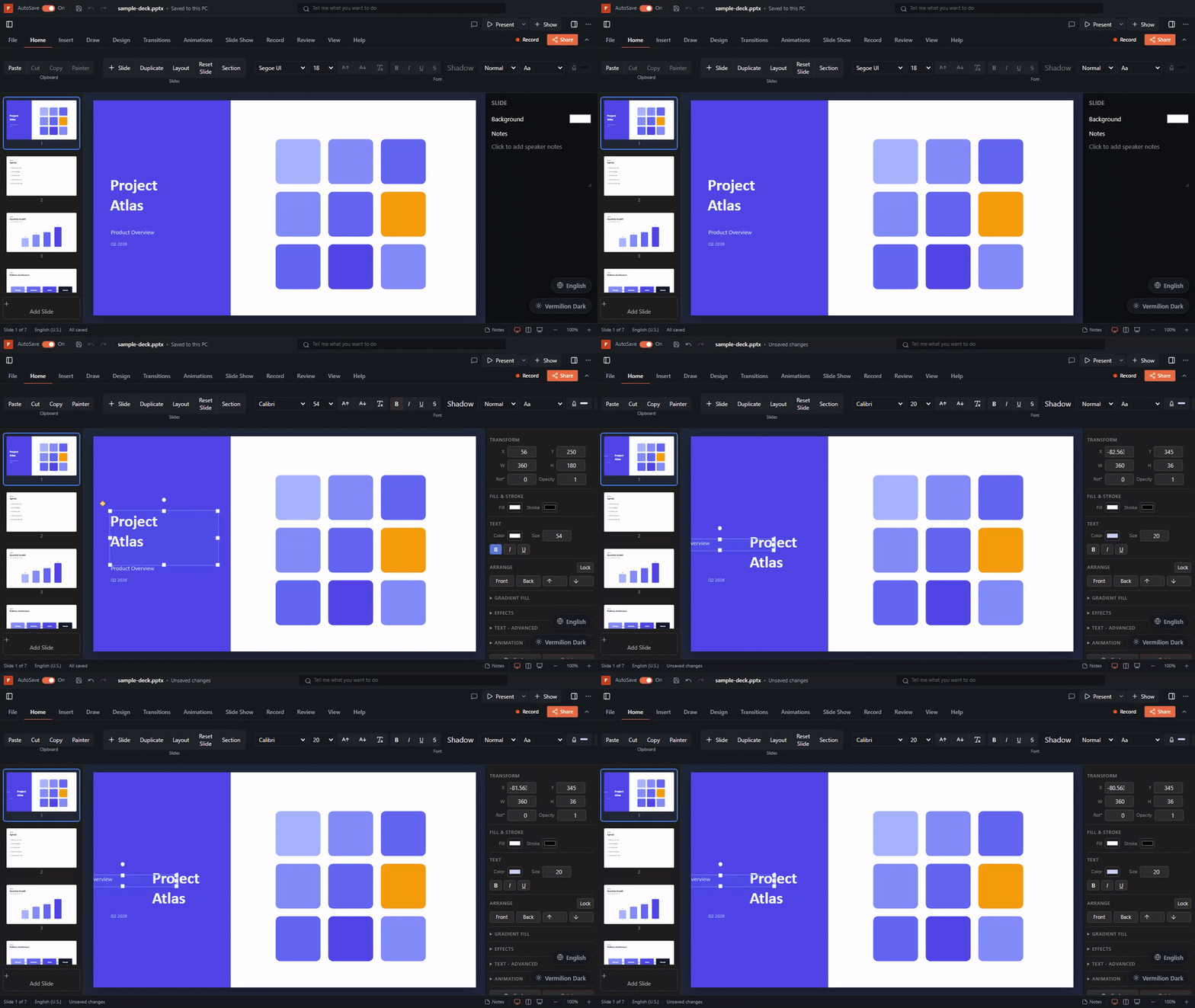
Open-source PowerPoint viewer and WYSIWYG editor for React, Vue 3, Angular, Svelte 5, and vanilla JavaScript. A headless TypeScript core loads, edits, and saves .pptx files; the components render them as live HTML, CSS, and SVG.
This is the real editor running in your browser: the same deployed demo app you would get from npm, embedded live. Switch frameworks, or split the view and watch two independent apps co-edit one deck.
What you get.
High-fidelity rendering
187+ preset shapes, 23 chart types, SmartArt, animations, morph transitions, embedded fonts, EMF and WMF metafiles, and 3D models, all drawn as HTML, CSS, and SVG. Text stays selectable and screen readers keep working.
A ribbon, inspector panels, and on-canvas manipulation for text, shapes, tables, charts, and SmartArt, with full undo history. Master and layout elements are editable too.
Loading produces a fully-typed data model with sixteen element types. Saving writes valid OpenXML with themes, masters, layouts, and OOXML Strict conformance intact, so edited decks reopen cleanly in PowerPoint.
Every UI label resolves through one of 1,600+ pptx.* translation keys, wired to the i18n library your app already uses: react-i18next, vue-i18n, or ngx-translate.
pptx-viewer-mcp exposes 73 PPTX tools with Zod schemas over the Model Context Protocol, so Claude, Cursor, and Copilot can read, edit, and convert presentations directly. The same functions run headlessly in Node, Bun, or serverless runtimes, and a CLI covers one-off conversions.
import { PptxHandler } from'pptx-viewer-core';
const handler = new PptxHandler();
const deck = await handler.load(pptxArrayBuffer);
// Every element is a typed, discriminated unionfor (const el of deck.slides[0].elements) {
if (el.type === 'text') {
// Edit runs so bold, font, links, and paragraph breaks survive.
el.textSegments = el.textSegments?.map((run) => ({
...run,
text: run.isParagraphBreak ? run.text : rebrand(run.text),
}));
el.text = rebrand(el.text);
}
}
// Serialize straight back to a valid .pptxconst file = await handler.save(deck.slides);
Render a deck in fifteen lines.
Install the package for your framework, pass the raw .pptx bytes, and give the container a height. Editing, presenting, collaboration, and export are props away.
Yes. Everything is Apache-2.0 licensed: the core, all five UI packages, the MCP server, and the demos. There is no paid tier.
Do edited files reopen in PowerPoint?+
Yes. Saving writes valid OpenXML with themes, masters, layouts, and OOXML Strict conformance preserved, so a deck loaded, edited, and saved here reopens cleanly in PowerPoint.
Does it need a server?+
No. Parsing, rendering, editing, and saving all happen in the browser. The core also runs in Node.js and Bun for server-side or CLI work.
How are slides rendered?+
As live HTML, CSS, and SVG rather than a canvas bitmap. Text stays selectable, zoom stays sharp, and screen readers work.
Does collaboration need infrastructure?+
The bundled peer-to-peer transport uses y-webrtc signaling infrastructure. For persistence, authentication, or controlled networking, provide a collaboration service such as a y-websocket relay. Collaboration
Can it open password-protected files?+
Yes. AES-128 and AES-256 agile encryption are supported for both opening and saving.
Which frameworks are supported?+
React 18/19, Vue 3, Angular, Svelte 5, and a zero-framework vanilla build. They share the core engine and framework-neutral rendering logic, with each binding providing its own view layer.
What are the limitations?+
OLE content can be replaced, and supported embedded sheets, documents, and nested deck titles can be edited. A few visual effects are approximated on screen. The limitations page lists exactly what to expect. Limitations
.pptx in. .pptx out.
Add PowerPoint support to your app with one dependency. Apache-2.0 licensed, strict TypeScript, no native dependencies. Try the demo with one of your own decks, then follow the quick start.