Compatibility
Safari and iPad were a major focus of 2.0. We reworked clipboard, export, print and touch paths for WebKit.
Copy a slide in Safari
Start the clipboard write while Safari is still handling the click.
- Click Copy
- Open clipboard
- Render the slide
- Image copied
Export large slides
Tile large renders, wait for images and fonts, and keep the download alive through confirmation.
- Render in tiles
- Resolve images and fonts
- Confirm download
Print the document on iPad
Print the content from its own window so iPadOS prints the document.
- Open print window
- Load document
- Print document
Use the editor by touch
Long-press for a context menu and double-tap to rename a section.
- Long-press or double-tap
- Recognise gesture
- Open menu or rename
Support across browsers
The supported browser versions and the minimums the editors need.
- Safari
- Chrome and Edge
- Firefox
Clipboard on Safari
In PowerPoint, open File > Export > Copy as Image. Safari needs the clipboard write to start during the click that requests it. OOXML supplies the image as it renders, so an asynchronous render can still reach the clipboard.
Export and downloads on Safari
Large raster exports render in tiles or scale to fit WebKit’s canvas budget. The exporter waits for pictures and embedded fonts before drawing. On iPad, downloads keep the generated file available until the reader confirms the download sheet. Video export uses MP4 when WebM is unavailable.
Print on iPad
In PowerPoint, open File > Print. The app sends the print content through its own window on iPadOS, then waits for it to load before asking iPadOS to print.
Touch and symbol fonts on iPad
Long-press a thumbnail or shape to open its menu. Double-tap a section to rename it. When an iPad lacks Wingdings or Symbol, the slide shows the matching Unicode bullets.
Fixes in Firefox and Safari across the editors
The support policy covers the last two major versions of Chrome, Edge, Firefox and Safari. Safari 16.4 is the minimum version the bundles can run on. In Firefox, Word's Review > Language is no longer clipped to its first column, and Excel ribbon groups that stack drop-down galleries no longer collapse to one column in Safari and Firefox. Safari still needs the prefixed user-select, so dragging a table border, a crop handle, a ruler or the Excel sheet tabs no longer selects page text, and Visio's presence labels, menus and title bar are no longer selectable. The Word, Excel and Teams Solid components now render on the server instead of throwing document is not defined, and hydrate the element the server sent.
Learn more about the Word editor.
Node.js 22.3 and on-demand decoders
Every package now declares Node.js 22.3 or newer, because the Visio memory budget reads the host's heap limit through an API Node added in 22.3. The image decoders of emf-converter 5 load on demand from their own chunk folders; bundlers resolve them from the dependency. For a manual deployment, keep the chunk folders in emf-converter/dist/.
Learn more about the Node.js requirement.
Performance
See what happens when the same edit is saved, the same workbook recalculates or the same drawing opens.
Save a one-paragraph edit
Save confirmation for a 20,000-paragraph document in the Office suite.
- Before 2.0
- 13.53 s
- OOXML 2.0
- 1.97 s
Animation scaled to show relative time.
Open and recalculate
Time until the editor is ready for a workbook that requests full recalculation.
- Before 2.0
- 10.08 s
- OOXML 2.0
- 4.88 s
Animation scaled to show relative time.
Open a SmartArt slide
Time from opening a one-slide SmartArt deck until PowerPoint is ready.
- Before 2.0
- 3.37 s
- OOXML 2.0
- 0.58 s
Animation scaled to show relative time.
Open 10,000 shapes
The drawing exceeded the old XML node limit. The same file opens in 2.0.
- Before 2.0
- Drawing refused
- OOXML 2.0
- Ready in 2.73 s
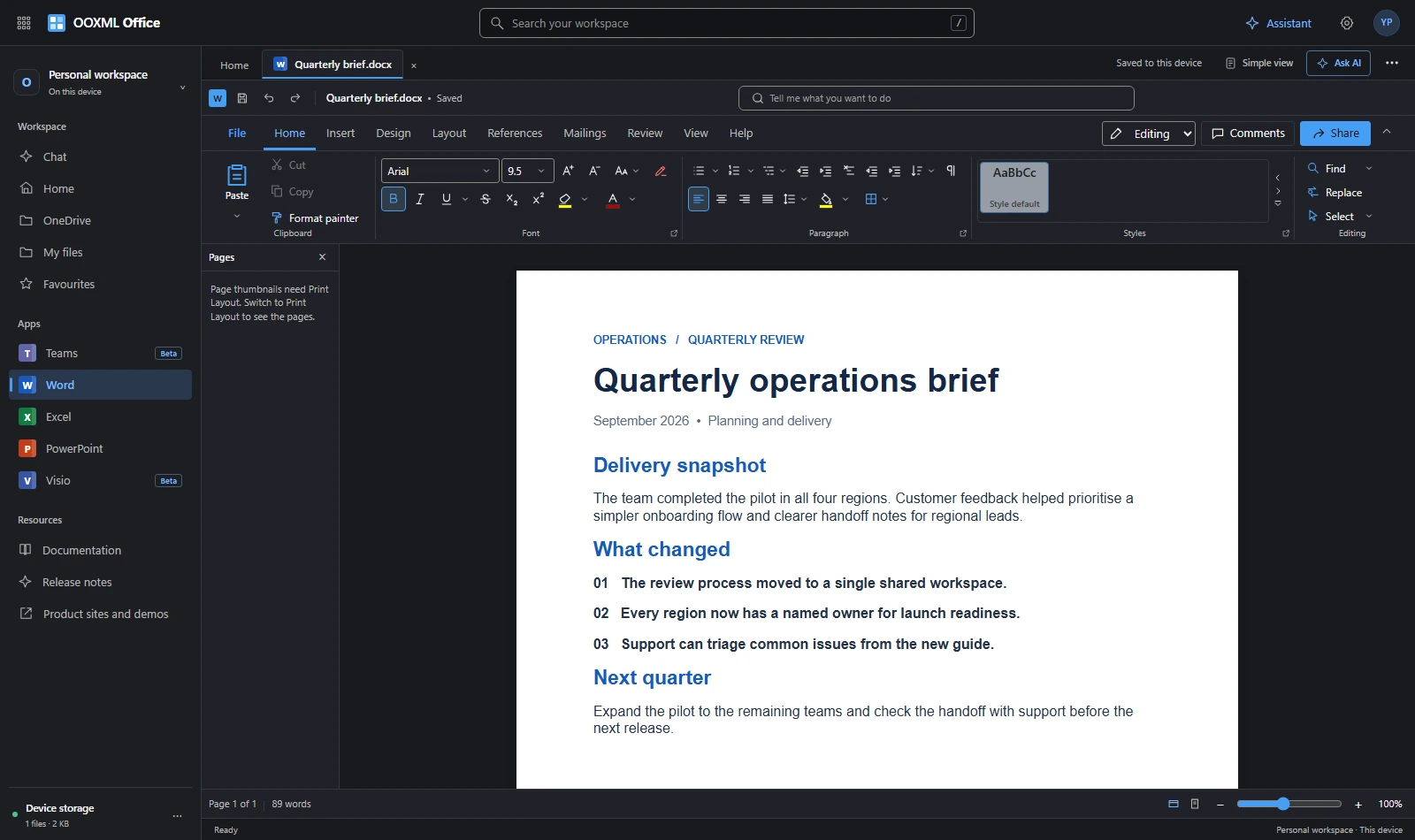
Word saves in proportion to the edit
The Word writer now reuses unchanged blocks. In the Office suite, clicking Save after a one-paragraph edit took 1.97 s, down from 13.53 s, on the same document. Timing began after the file was open and the edit was made. In a separate writer benchmark on a 20,000-block document, the save went from about 17 s to 2.5 s with identical output.
Loading got cheaper too: one walk of document.xml replaces up to 15, and style inheritance is resolved once per catalog, so a long basedOn chain no longer makes loading quadratic.
Memory stays flat across a long session. In the Office suite, opening and closing a Word document used to leave about 3 MB and 12,000 DOM nodes behind each time; it now leaves about 0.2 MB and none. Excel went from about 13 MB to about 0.2 MB per cycle.
Learn more about the Word editor.
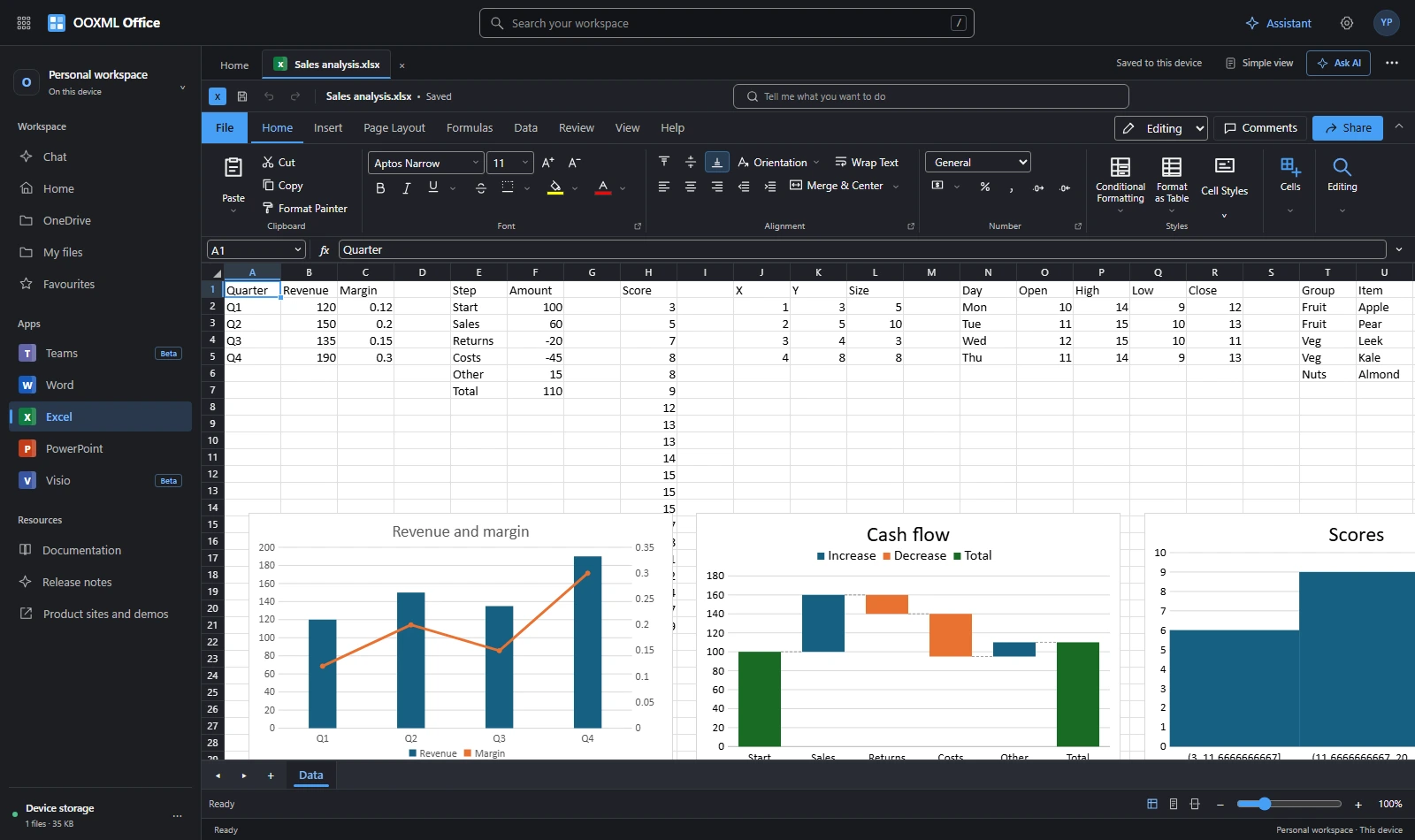
Excel moves long opening calculations to a worker
Some workbooks ask to be fully calculated when they open. The editor gives the main-thread calculation a time budget of at least 250 ms, based on how long the file took to read. If the calculation needs longer, a worker gets up to ten seconds and sends back the cells it updated. Unfinished formulas keep their saved values, and the editor points readers to F9 to recalculate.
In the recorded workbook, the editor was ready in 4.88 s, down from 10.08 s. The longest main-thread task dropped from 9.84 s to 0.31 s.
import { readFile, writeFile } from 'node:fs/promises';
import { calculateOnOpen, loadXlsx, saveXlsx } from 'ooxml-core/xlsx';

const workbook = await loadXlsx(await readFile('forecast.xlsx'));

// Runs the calculation the file asks for on open, for at most two seconds.
const result = calculateOnOpen(workbook, { timeLimitMs: 2_000 });
if (result.stopped) console.warn(`Stopped early (${result.stopped}); saved values kept.`);

await writeFile('forecast-calculated.xlsx', await saveXlsx(workbook));Learn more about the Excel API.
Excel recalculation does less work
Exact VLOOKUP, HLOOKUP, XLOOKUP, XMATCH and MATCH searches over the same range share an index within a recalculation, with results identical to a scan, and identical aggregates such as SUM and AVERAGE over the same large ranges are computed once. MMULT runs about three and a half times faster, and 1,000 nearest-match XLOOKUPs over 100,000 rows take about a second instead of six. Text now compares the way Excel compares it, and sorting accented text keeps its previous speed.
An edit that changes a row's automatic height recalculates only what depends on the edited cells, and undo and redo of Replace All no longer visit the whole sheet.
Learn more about Excel functions.
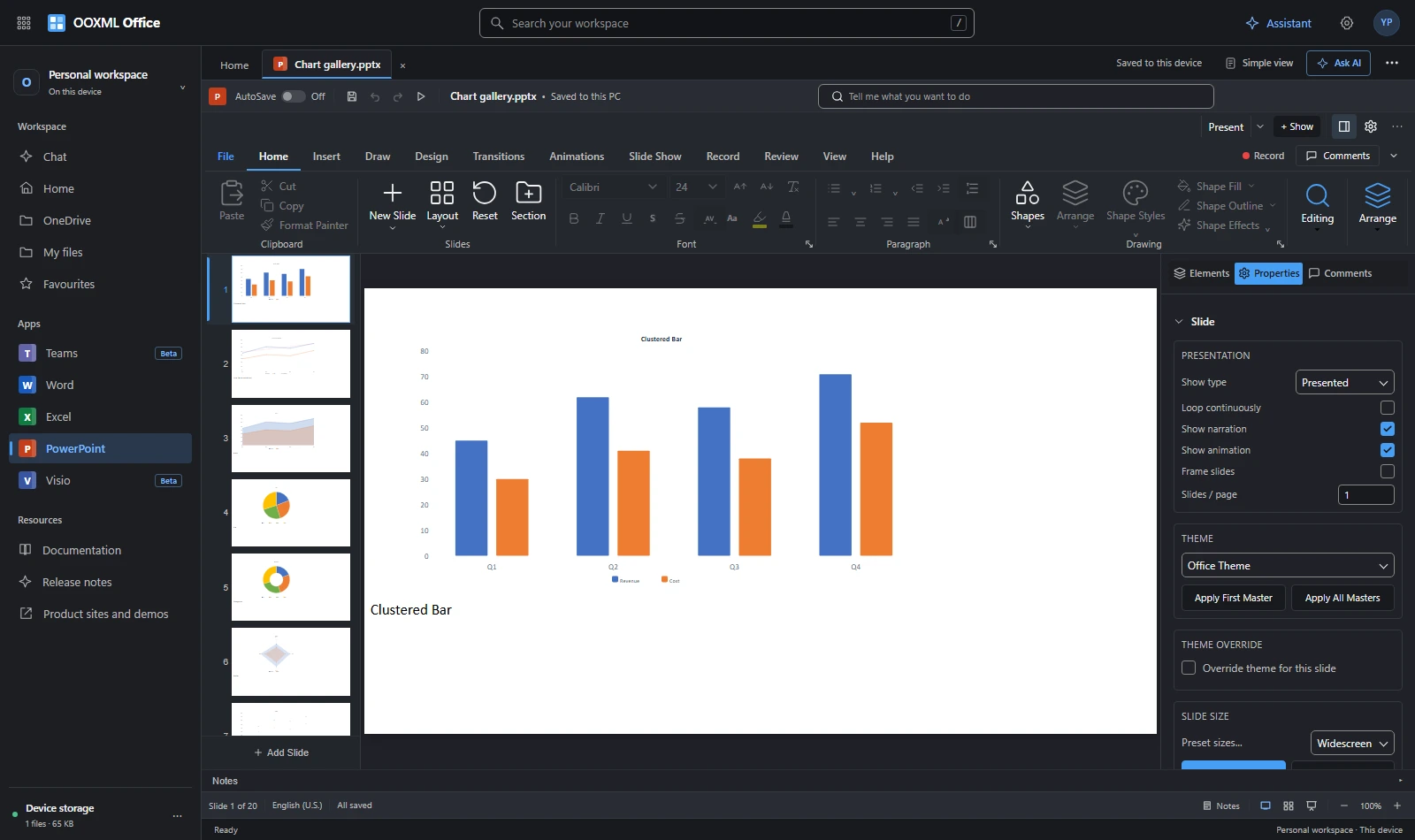
PowerPoint decks open and save in a fraction of the time
A one-slide SmartArt deck that took about 6 s to load and 6 s to save now takes well under a second each way. The save-skip fingerprint hashes a shared part of the slide model once instead of again and again, a load reads the package's relationships once for every chart, and embedded workbooks are parsed only when a chart needs their rows.
In the Office suite, the same one-slide deck was ready in 0.58 s, down from 3.37 s.
Saving charts stopped growing the file. A 2,000-row chart that went from 86 KB to 764 KB over 20 undo and save round trips now stays at 105 KB. Saved chart states used to be kept for each of the last 100 saves, which grew the heap by gigabytes for very large charts; they are now kept only while undo can reach them, compressed, within 32 MiB per presentation.
Scrolling a long thumbnail list also spends less time on the main thread. In the recorded 200-slide deck, the same scroll went from 27 to 60 frames per second.
Learn more about the PowerPoint viewers.
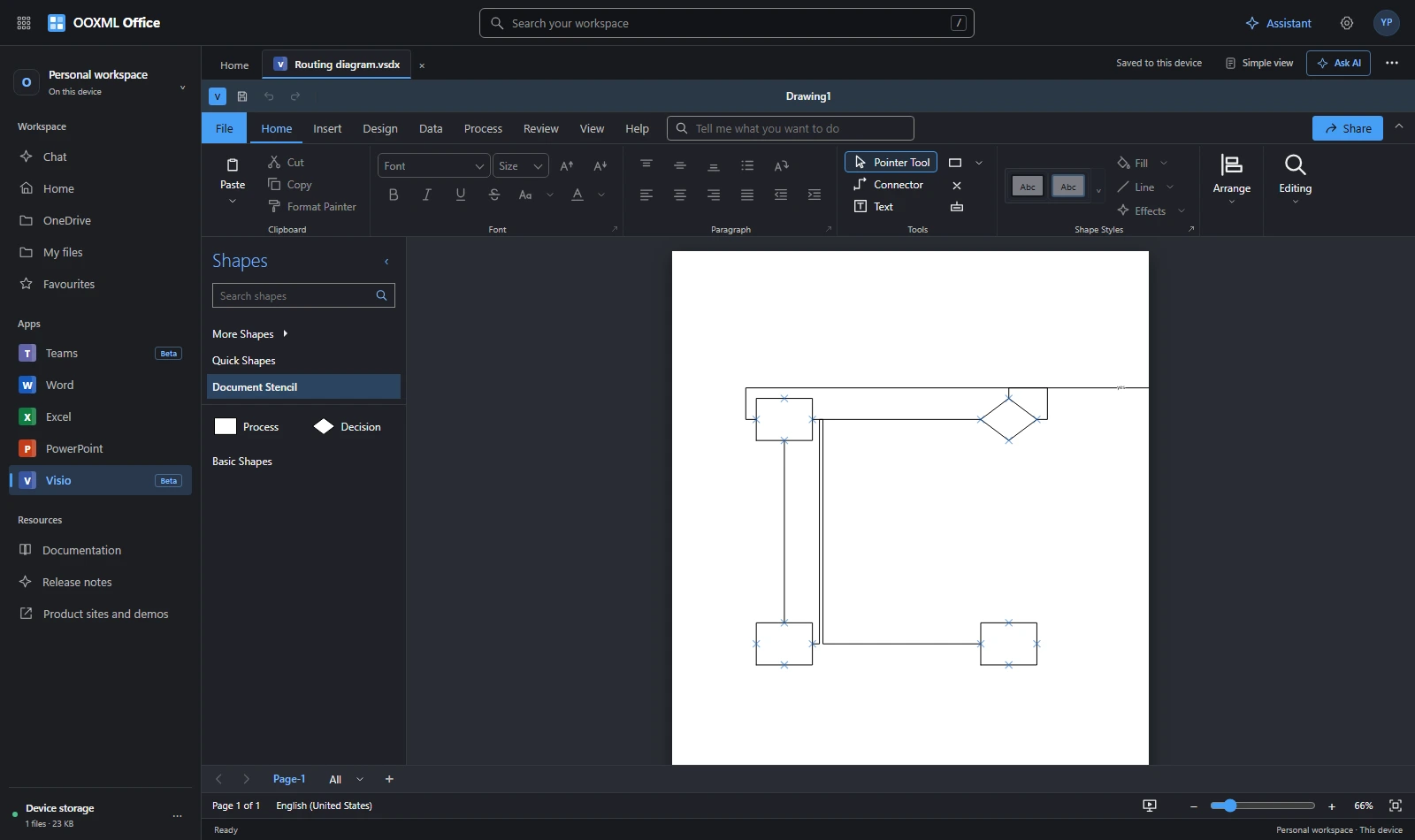
Visio opens pages of 10,000 shapes
Visio drawings open with pages of up to about 10,000 shapes, as Visio saves them, inside a memory budget that follows the heap of the browser, worker or Node process. Before, a 411 KB file could end a 512 MiB Node process. A drawing too large to edit now opens read-only and says why in the reader's language, instead of refusing every edit.
The previous build refused the recorded 10,000-shape drawing at its XML node limit. The same file was ready in 2.73 s in 2.0.
Zooming scales the drawing at once and renders the page a single time when the gesture settles. On a 2,500-shape page each zoom step used to take about two seconds at a 4x CPU slowdown.
Learn more about the Visio viewer.
About the measurements
The comparisons use runs of the pre-release and 2.0 suite builds in Chromium on the same Windows machine, with the same files and actions. The separate writer, calculation and load benchmarks time the engine directly.
Security
2.0 verifies document signatures, asks before loading linked PowerPoint content and puts limits on file processing and collaboration updates.
Ask before fetching
External pictures, sounds and video stay blocked until the reader enables them.
Verify what was signed
The reader checks signed parts, signature integrity and coverage, then reports its trust status.
Open within the limits
File readers apply inflation limits and work budgets before costly parsing or calculation.
Protect private chats
OpenTeams 2.0 checks private chat membership and the signed-in user on the server.
Keep Excel automation in the workbook
The packaged tools reject formulas that reach external data or services.
xlsx_set_cellsA2=SUM(B2:B8){
"address": "A2",
"value": 74,
"formula": "SUM(B2:B8)",
"text": "74"
}xlsx_set_cellsA2=WEBSERVICE("https://example.invalid")A2: the formula was refused because it uses WEBSERVICE, which can reach outside the workbookPowerPoint asks before it fetches
Fetching a deck's linked pictures, video and sounds on open tells the servers they come from that the deck was opened, and by whom. The PowerPoint viewers now do what PowerPoint does: linked content waits behind a security bar until the reader chooses Enable Content, which redraws the deck in place without a reload. Links open in a new isolated tab, embedded objects open only as inert types, and SVG pictures in every product are shown from data: URLs, so opening one in its own tab cannot run document-controlled script in your origin.
import { PowerPointViewer } from 'pptx-react-viewer';
import 'pptx-react-viewer/styles';

// Leave allowExternalContent unset to show the security bar.
// true fetches linked content without asking; false blocks it with no bar.
export function Deck({ content }: { content: Uint8Array }) {
	return (
		<PowerPointViewer
			content={content}
			canEdit
			limits={{ maxInputBytes: 100 * 1024 * 1024, maxSlides: 500 }}
		/>
	);
}limits bounds the decks a host is willing to load.Learn more about linked content in PowerPoint.
Signatures are verified, not detected
A document with a signature part used to be shown as signed. Now Word, Excel, PowerPoint and Visio verify the signature value, every signed part and what the signatures cover, in pure TypeScript, in the browser and in Node. Every format reports the same SignatureSummary, and every editor shows Signed, Signed (signer not verified), Invalid signature or Signature not verified. A browser has no trust store, so an intact signature reads "signer not verified" there; in Node a signer is trusted only when its certificate chains to a root you configure.
import { readFile } from 'node:fs/promises';
import { signatureStateText } from 'ooxml-core/i18n';
import { signature } from 'ooxml-core/opc';

const bytes = await readFile('contract.docx');
const summary = await signature.verifyPackageSignatureSummary(bytes);

if (signature.isVerifiedSignatureState(summary.state)) {
	console.log(signatureStateText(summary.state, 'en')?.label);
}
for (const entry of summary.signatures) {
	console.log(entry.path, entry.state, entry.signer);
}Learn more about ooxml-core.
Bounded work for every file
Every package, and every part inside one, is opened through one zip reader with limits on how much may be inflated. That now includes signature listing, package comparison, Visio collaboration snapshots and the workbooks embedded in charts. Chart point counts no longer decide how much memory is allocated, and XML scans that ran in quadratic time are linear.
Each Excel formula has its own work budget; one that goes past it returns #NUM! while the rest of the sheet still calculates, and the REGEX functions use a matcher that avoids unbounded backtracking. A damaged legacy .xls file of 9.7 KB that kept the reader busy for over 20 seconds now reads in about 5 ms. A Visio drawing that does not fit its memory budget is refused with the memory it would need.
Learn more about the security regression corpus.
Collaboration peers and servers
A collaboration update that would allocate millions of objects is refused before it is decoded, values from peers are checked before they reach the document, and when sharing stops the user is told why in their own language. A PowerPoint session without a server is keyed by a random secret that travels only in the link's fragment, so the public signaling server sees only a hash of it. People who join a shared deck without the file now see its pictures and video, up to 16 MiB per room.
In OpenTeams, private chat membership is decided by the server instead of by data a client can shape, call signaling speaks only as the signed-in user, and files, stored rooms and presence have default limits. Client and server speak protocol version 2, so deploy them together; the new server migrates its data directory on first start, so take a copy first.
cp -r /var/lib/openteams /var/lib/openteams-backup-1.x
openssl rand -hex 32 > session-secret

TEAMS_USERS_FILE=users.json \
TEAMS_SESSION_SECRET="$(cat session-secret)" \
TEAMS_ORIGINS=https://app.example.com \
TEAMS_DATA=/var/lib/openteams \
TEAMS_USER_QUOTA_MB=2048 \
npx openteams-server@2Learn more about the OpenTeams server.
Agents stay inside the workbook
The MCP servers now refuse an Excel formula, in a cell or a defined name, that can reach outside the workbook: web and external data functions, the Excel 4.0 macro functions that run programs or read files, add-in calls, functions that send cell data to an AI service and references to other files. The error names the cell. File tools judge a path on its text before any filesystem call, so a UNC path never reaches a remote host. A host that writes trusted formulas builds its own server from the same definitions.
import { McpServer } from '@modelcontextprotocol/sdk/server/mcp.js';
import { StdioServerTransport } from '@modelcontextprotocol/sdk/server/stdio.js';
import { createXlsxTools, docxTools } from 'ooxml-core/automation';
import { registerAutomationTools } from 'ooxml-core/automation/node';

const server = new McpServer({ name: 'trusted-office-tools', version: '1.0.0' });

// Only for callers you trust: these Excel tools accept any formula.
const tools = [...docxTools, ...createXlsxTools({ formulas: 'unrestricted' })];
registerAutomationTools(server, tools, { rootDir: '/srv/documents' });

await server.connect(new StdioServerTransport());Learn more about the MCP tools.
We reviewed every package for what a crafted file, a misbehaving collaboration peer or a prompt-injected agent could do. A regression corpus exercises the fixed cases through public entry points with time and memory limits and no network. CI catches regressions for the inputs in that corpus.
Accessibility
Use F6 to move between regions, follow Excel cells with a screen reader, and return to the opening control after a dialog closes.
Find your way with F6
F6 advances a region. Shift+F6 moves backwards. On the slide, Tab moves between objects.
- Slide
- Ribbon
- Speaker notes
- Thumbnails
Hear where you are in Excel
The grid exposes row and column headers, the active cell and its formula.
- Column B
- Row 2
- B2
- Formula or value
Keep focus and selection visible
Focus rings, control contrast and system highlights help users follow where they are.
- Focus ring
- Readable contrast
- System highlight
Regions and focus that follow Office
F6 and Shift+F6 move between the regions of every window, as in Office: the ribbon, the document, the panes, the status bar and, in PowerPoint, the slide list; in Visio, the Shapes window and the page tabs; in OpenTeams, the chat list and the message box. Dialogs keep Tab inside, close on Escape wherever focus has ended up, and give focus back to the control that opened them, inside shadow roots too.
In PowerPoint the slide is one named Tab stop. Enter, F6 or a click goes in, Tab walks and announces the objects, Enter on a selected object edits its text, and Escape comes back out. In a text box, Tab types a tab.
Learn more about the shared editors in ooxml-ui.
A grid screen readers can explore
Screen readers explore the Excel grid as a table, with column and row headers that carry the sheet's own row and column numbers, so B2 is row 2, column 2. The active cell is announced with its column, formula and comment, also after an undo, a recalculation or a sheet switch. Every chart is named by its alt text, falling back to its title, and its series and values can be read in every product. Controls such as the zoom percentage button now include their visible label in the accessible name.
Learn more about the Excel editor.
Contrast and forced colours
Form control boundaries reach 3:1 against the background through the new --office-control-border token, and the Tell me box, Name Box, formula bar, search fields and File tab show a focus ring of at least 3:1. Accent text is lifted in dark mode to read at 4.5:1, and split button arrows are 24 by 24 pixel targets. In forced-colours mode, selected, current, checked and pressed states keep a system highlight, and a pressed ribbon button keeps its label.
Learn more about theming.
Browser tests check that Tab can leave each region, F6 cycles between regions, and dialogs return focus. The accessibility checks also run in light mode, dark mode and a phone-sized viewport, including the five PowerPoint bindings.
New features
See floating tables in Word, Treemaps in Excel, SmartArt colour changes in PowerPoint and pointer-centred zoom in Visio.
Wrap text around a floating table
Print Layout wraps body text around the table.
Find across the document
Find moves between the body, headers and footnotes.
Insert a Treemap
Turn a selected data range into a Treemap directly on the worksheet.
Change SmartArt colours
Apply a new colour scheme from the SmartArt Design gallery.
Zoom around the pointer
The drawing scales during the gesture and redraws when it settles.
Word lays out text boxes and floating objects
Text boxes now go through the same page engine as the body. Linked boxes flow from one box to the next, vertical text turns, and boxes set to resize can grow with their text. In Print Layout, floating pictures, shapes, text boxes and charts can sit inside their anchor cell and grow its row. Earlier Word compatibility modes still honour the file’s layout-in-cell setting. Floating tables gain wrapping, AutoFit tables use their content to size columns, and East Asian layout handles additional line-breaking rules.
Learn more about editing in Word.
Paste, find and compare in Word
Pasting from Word keeps its lists, styles and run formatting, and a Paste Options button offers Keep Source Formatting, Merge Formatting and Keep Text Only. Find and Replace runs from the body into headers, footers, footnotes, endnotes and text boxes, and names the story each match is in. File > Info > Check for Issues opens the Document Inspector.
compareDocuments creates a redline with tracked changes for supported differences in the document body. It does not compare headers, footers, notes, comments or text box contents yet, every result lists what it left out, and there is no Compare command in the editor yet.
import { readFile, writeFile } from 'node:fs/promises';
import { compareDocuments } from 'ooxml-core/docx';

const result = await compareDocuments(
	await readFile('contract-v1.docx'),
	await readFile('contract-v2.docx'),
	{ author: 'Review bot', granularity: 'word' },
);

await writeFile('contract-redline.docx', result.bytes);
console.log(result.summary, result.notCompared);Learn more about comparing documents.
Charts and SmartArt
Charts preserve declared points through viewing, editing and saving, with limits on how many blanks a view materialises, and a chart over whole worksheet columns stays editable in Word, Excel, PowerPoint and Visio. Saving writes only the workbook cells an edit changed, and a copied chart gets its own parts and workbook. Insert Chart in Word and Excel offers the eight extended families, from treemap and sunburst to Pareto and filled map; region maps are drawn over bundled approximate outlines, and nothing fetches geodata. Chart elements take picture fills.
Learn more about Excel features.
SmartArt colours and styles
The SmartArt galleries list Office's 38 colour and 14 style definitions. Choosing a colour scheme updates the diagram on the slide.
Visio zoom around the pointer
Use Ctrl + wheel to zoom the canvas around the pointer. The drawing scales during the gesture and the viewer redraws it when the gesture settles.
The parity checklist tracks remaining gaps and the cases checked against Office.
Upgrading
The release coordinates the next major versions of 42 packages. Core, UI, Word, Excel, Visio and OpenTeams move to 2.0.0. PowerPoint packages move to 3.0.0, 4.0.0 or 5.0.0, depending on the package.
Move every OOXML package you use to its new major in one change, and check that your lockfile holds one version of ooxml-core and one of ooxml-ui. Every package requires Node.js 22.3 or newer, and the supported browsers are the last two major versions of Chrome, Edge, Firefox and Safari, with Safari 16.4 at least.
For most applications the breaking changes are few. The Word, Excel and Visio editors take dark mode from the theme rather than from the page's color-scheme (dark mode), and an editor removed from the page leaves its shared room (removed editors). PowerPoint hosts decide how linked content is handled (Enable Content), and peer-to-peer links need their session key (session keys). Code that read signatures now reads one verified summary (signatures), and OpenTeams operators back up and migrate their data directory (OpenTeams).
The migration guide gives the before and after of each change, and each package's changelog lists its own share.
More control for hosts
customization.ribbon.hiddenTabs removes native ribbon tabs in the Word, Excel and Visio editors. Hiding 'file' removes the File tab and its backstage while Save, its shortcuts and host storage keep working. The Visio viewer gains a locale prop in every binding and the same opt-in googleFonts option as the other products. Theme tokens such as --office-accent-ink now resolve where they are read, so setting --office-accent on a container recolours everything inside it.
import { useState } from 'react';
import { createDocument, WordEditor } from 'docx-react-viewer';

export function Editor() {
	const [model, setModel] = useState(() => createDocument());
	return (
		<WordEditor
			documentModel={model}
			onDocumentChange={setModel}
			customization={{ ribbon: { hiddenTabs: ['file', 'mailings'] } }}
		/>
	);
}Learn more about the Word API.
Every change, by product
Here is the complete list, grouped where the code lives: the shared core and editors first, then each product.
OOXML core · 1 package, 2.0.0142 changes
Packages: ooxml-core 2.0.0.
This release adds resource limits across the document readers and related operations. Every package is opened through one guarded zip reader, and the work a chart, a formula, a collaboration update, a signature check or a Visio drawing may cost is bounded, so the reader can refuse a file that exceeds a configured limit. Digital signatures are now verified, in browsers as well as Node, and Word, Excel, PowerPoint and Visio report the same SignatureState. Word's page engine now lays out text boxes, linked text box chains and floating objects in table cells, Excel compares text the way Excel does and calculates faster, and large Word saves and PowerPoint chart and SmartArt loads take a fraction of the time they did. The package requires Node.js 22.3 or newer; upgrade every OOXML package at once and follow the migration guide for each breaking change.
Highlights
- Hostile files are bounded: zip inflation, chart point counts, formula work, XML scans, collaboration updates, signature checks and Visio memory all have limits, and a security regression corpus runs every fixed defect class with the unit tests.
- Verified signatures everywhere:
ooxml-core/opcverifies Word, Excel, PowerPoint and Visio signatures in pure TypeScript in browsers and Node, and every format carries oneSignatureSummarywith aSignatureState. - Word text boxes and floats on the page: Print Layout lays out text box paragraphs, linked text box chains, vertical text and autofit with the page engine, and floating pictures, shapes, text boxes and charts anchored in table cells are placed in the cell as Word 16 places them.
- Excel formulas behave like Excel: text comparison, exact lookups, criteria and text limits follow Excel's rules,
REGEXfunctions cannot hang,LETandLAMBDAworkbooks open in Excel, and lookups andMMULTrun several times faster. - Charts edit at any size: charts over whole worksheet columns stay editable in every product, saves write only the cells an edit changed, and copied charts get their own parts and workbooks.
- Keyed peer-to-peer sessions: serverless sessions are keyed by a secret that travels only in the link's fragment, so the public signaling server never learns the room.
Breaking changes
- Node.js 22.3:
"engines": { "node": ">=22.3" }. The Visio memory budget reads the heap limit throughprocess.getBuiltinModule, added in Node 22.3; on an older Node it assumes a 1 GiB heap. See Run Node.js 22.3 or newer. - Decoder chunks:
emf-converter5 loads its image decoders and colour data on demand fromdist/browser-chunks/anddist/node-chunks/. Package managers and bundlers need no change; if you copy compiled files by hand, keep those folders insideemf-converter/dist/(decoder folders).
Signatures (ooxml-core/opc, /docx, /xlsx, /pptx, /pptx/signature-node)
See Signatures are reported as a verified summary and Signature verification.
- One summary: a signed document carries a verified
SignatureSummary({ state, signatures }).inspectSignaturesFromBufferinooxml-core/pptxverifies and returns one,parseSignaturesFromBufferandPackageSignatureInfoare removed, andWorkbook.signaturesis aSignatureSummaryinstead of{ count, parts }. Show a document as signed only whensignature.isVerifiedSignatureState(summary.state)is true;hasDigitalSignaturesstill says only that signature parts exist. - No English warning: loading a signed Word or Excel document no longer adds a "signature not verified" message to
warnings. Readsignatures.stateand word it withsignatureStateTextfromooxml-core/i18n. - Trust needs configured roots: the Node verifier reports
verified-trustedonly when the signature value and every signed reference verify, the references cover the document content, and the signer certificate permits document signing and chains to a root you configured. No roots are built in and the platform's TLS roots are no longer used: setPPTX_VIEWER_TRUST_ROOTS_PEMorPPTX_VIEWER_TRUST_ROOTS_FILE. A certificate whose extended key usage excludes document signing (a TLS server certificate, or one listing onlyclientAuthorcodeSigning), whose key usage has neitherdigitalSignaturenornonRepudiation, or whose chain exceeds apathLenConstraintis untrusted; reissue such certificates if their signatures must be trusted. - Coverage: a new status,
coverage-incomplete, on the report and on each signature detail.SignatureDetailgains the required fieldsuncoveredPartsandcoverageGaps, andSignatureReferenceCheck.digestStatusgainscontent-type-mismatch. A stored item no signature covers makes the resultcoverage-incomplete, even when no relationship points at it; document properties, thumbnails, custom XML and presentation and view properties may stay unsigned in their usual locations.referenceChecksis empty unless the signature value verified, andsigningTimeis read only from signed content. - Integrity first:
computeDetailStatusandcomputeVerificationStatusrank a failed signature value, reference or coverage check above certificate, revocation, timestamp and policy statuses, per signature and across the package, so some packages report a different status than before. - Timestamps: timestamp tokens are not validated.
evaluateTimestampAuthorityreportsnot-checkedfor a token, so withPPTX_VIEWER_REQUIRE_TIMESTAMPset every signature reportstimestamp-untrusted; remove the variable unless you want that. - Removed from
ooxml-core/pptx/signature-node:verifySignatureValue(useparseXmlSignatureand thenverifySignedInfo),buildReferenceChecksFromSignatureXmlandbuildReferenceChecksFromPptxViewerManifest(usecheckSignedReferences),PPTX_VIEWER_MANIFEST_NS(the unsigned manifest extension is no longer read),normalizePartPath, andcanonicalizeNode,canonicalizeSignedInfoXml,getNodeLocalNameandgetFirstDescendantElementByLocalName(usesignature.canonicalizefromooxml-core/opc).evaluateSignatureCoverageno longer takes the signature paths, andSignaturePackagegainsnamesByKey. - Reference URIs:
resolveReferenceUriToPartandparseReferenceUristrip the?ContentType=query, keep the part name's percent-encoding and returnundefinedfor a URI that does not name exactly one valid part. The enveloped signature transform is no longer supported. - Signing checks its output:
signPptxWithCertificatereturnssuccess: falseand nosignedDatafor a stored item whose name is not a valid part name, for a relationships part the strict reader rejects, and for output whose signature does not verify and cover its content. Checksuccessbefore using the result; trust and policy outcomes still do not fail signing. - OCSP over
node:http: revocation checks usenode:httpandnode:httpsinstead of the globalfetch, so a replacedfetch, a fetch dispatcher or a fetch proxy no longer sees them. Allow direct outbound HTTP and HTTPS to public responders, intercept at thenode:httplevel in tests, or pass{ checkRevocation: false }toinspectPptxDigitalSignatures(revocation checks). - Strict relationships:
parseRelationshipsPartmoved toooxml-core/opcand is strict: it throws on a part the schema does not allow, and accepts an emptyTargetandIds that differ only in case, which the schema allows.
ooxml-core/pptx
- Element ids: ids are built from an encoded form of the part name. Decks whose part names use only letters, digits,
-,.,_,~and/keep the same ids (such asppt/slides/slide1.xml-shape-0); any other character, such as a space or a non-ASCII letter, now appears percent-encoded, including in placeholders a layout switch creates. If you stored ids for such decks, reload and read them again;PptxSlide.idis unchanged (element ids). - Checked room slides:
readSlidesFromYDocandreadSlideFromYMapcheck what peers wrote. An element id that is not a safe token is encoded the way the loader encodes part names, a picture, media, model or embedded-file field keeps only adata:URL of its kind (plus linkedhttp(s)addresses and package paths, which each viewer gates where it draws), and a MIME type must be well formed. Anything else is left out of that participant's view with aCOLLABORATION_REMOTE_VALUE_REJECTEDslide warning, and the next local write removes it from the room (room slides). - Shared media: writers put a media token (
ooxml-media:<id>) in the room instead of a page-localblob:URL, and the bytes go once into the newpptx:mediamap. A rawblob:URL a peer wrote is refused, so every participant of a room must run this release. If you write slides into a room yourself and name audio or video only bymediaPath, callconfigureCollaborationMedia(doc, { localMediaUrl })(pictures and media). - Workbook rows on demand:
PptxChartData.embeddedWorkbookDatais set only when the load needed the rows (no cached categories, values or scatter x values, or a date axis withoutc:date1904). To read any chart's rows, passchartData.externalData.embeddedWorkbookDatatoparseEmbeddedXlsx(embeddedWorkbookData).
ooxml-core/xlsx
- Per-formula budgets: each formula has its own work budget and text budget, and the array budget that covered a whole recalculation now covers one formula. A formula past it returns
#NUM!, usually before any of its work runs, and every other formula still computes. Ordinary workbooks stay well inside it;MMULTof two 1,500 by 1,500 arrays,MDETERMorMINVERSEof a 1,000 by 1,000 array, more than about six millionLAMBDAcalls, orCOUNTIFover 20,000 cells repeated for 20,000 criteria return#NUM!(work budget). CalcEngine.stopped: the interface has a new member, so code that implements it must add it (stopped).
ooxml-core/docx
- Style catalogs are values:
paragraphStyles,characterStylesandtableStylesresolve inheritance once perstylesrecord. Change a style by replacing the record and the style, not by mutating a style object (style catalogs).
ooxml-core/chart
- Changed-cell writes:
ChartWorkbookWritelists the cells to change:cellsholds{ index, value }entries (an empty value clears the cell) andcellCountis the size of the range, replacingvalues. Buildcellsfrom a whole range withchartWorkbookCells(values).chartSpaceWorkbookWritesandchartExSpaceWorkbookWritesno longer write blank points; pass the chart as loaded (chartSpaceWorkbookWrites(space, before),chartExSpaceWorkbookWrites(space, resolve, before)) to get only the cells the edit changed (chart workbook writes). addChartCategory: no longer gives a category to a series that has none, and puts the new category in the row after all the chart's data rather than after each series' own data.
ooxml-core/collab
- Bounded updates: an update that holds more than one struct per 4 bytes, or more than one deleted range per 2 bytes, is refused before it is decoded; the budget grows with the update, so the first sync of a real document stays well inside it.
DEFAULT_UPDATE_LIMITSis replaced bydefaultUpdateLimits(bytes),MIN_BYTES_PER_STRUCTandMIN_BYTES_PER_DELETE_RANGE; passmaxStructsandmaxDeleteRangestoapplyUpdateSafefor an absolute limit. - A refusal stops the sync: the provider disconnects with status
errorand emits anUpdateRefusedErrorwith acode(too-large,malformed,server-rejected,server-full), the session reports it asrefusal, andcollaborationStateOfincludes it. A server close with code 1009 stops the WebSocket transport at once,ApplyResultfailures carry acode, andguardProviderUpdates'onRejectedreceives the error instead of a string. TestisUpdateRefusal(error)anderror.codeinstead of matching messages (bounded updates). - Peer-to-peer secrets: a serverless session is keyed by a random secret that its invitation link carries after
#key=. Earlier links and bare room codes without a server no longer join. ACollaborationConfigwithtransport: 'webrtc'(or a blankserverUrl) must carrysecret(createShareSecret), andauthTokenis no longer the peer-to-peer password.parseShareInvitationis replaced byreadShareInvitation, which returns{ kind: 'session', target },{ kind: 'missing-secret', roomId }or{ kind: 'none' }, so a viewer can say why a keyless link cannot join (readShareInvitation). - Leave message origin: the leave
postMessageis obeyed only when the embedding window, or the frame itself, sends it from the frame's own origin. A page that embeds a viewer from another origin lists its origin inteardown.leaveMessageOriginofcreateCollabSession(leave message).
ooxml-core/opc
diffOpcPackageslimits: it rejects a package over the default limits (100 MiB of input, 100 MiB inflated, 10,000 parts). Pass larger limits as the third argument or handle the rejection (diffOpcPackages).- Hyperlink schemes: the hyperlink policy stores every well-formed scheme that is not script-capable, such as
tel:,sip:,msteams:andonenote:, and still opens only http, https and mailto unless the host opts in. Theunsupported-schemerejection reason is gone (hyperlinks).
ooxml-core/teams
- Protocol version 2: deploy the app and the server together (details under OpenTeams).
- Call and chat ids:
meetingChatIdis removed,createGroupno longer takes anid, and a meeting's chat ismeeting.chatId; the id forms and the call room naming (chatCallRoomId) are under OpenTeams (call and chat ids). - Server-side checks:
validateTeamsUpdatechecks theteams:chatsdirectory and no longer lets the first writer fill an emptyteams:chat-membersmap, so a server must seed new chat rooms itself. A group's directory row keeps themembersit was created with, later changes are onemember:<user id>field per person, and the check can answer{ ok: true, reverts }: apply the update and thenapplyUpdateReverts(doc, reverts)in one transaction whose origin is not the sender's connection. A third-party signaling server should check each signal'sfromand admit to a call room only the members of its chat (chatRoomOfCall) (validateTeamsUpdate). - Chat rooms:
createChatRoomspassesopenRooma third argument,onSynced, and takes an optionaldirectorySync. The handleopenRoomreturns must havesynced(), and the result hasleavingChats().
ooxml-core/automation
- Formula policy: the Excel write paths (
setXlsxCells,applyXlsxEdits,proposeXlsxEdits,applyXlsxProposal,createXlsxFromSheetsand the toolsxlsx_set_cells,xlsx_propose_editsandxlsx_apply_proposal, now schema version 2) refuse a formula, in a cell or a defined name, that can reach outside the workbook: web, image, RTD, cube, Python and XLL add-in functions, the Excel 4.0 macro functions that evaluate text, run programs, use DDE or read and write files (EVALUATE,EXEC,RUN,FOPENand the like), functions that send cell data to an AI service, references to another workbook or a file path, and formulas the parser cannot read.INDIRECTstays allowed. The error names the cell. A host that writes trusted formulas passes{ formulas: 'unrestricted' }, or registerscreateXlsxTools({ formulas: 'unrestricted' })instead ofxlsxTools(formula policy). - Paths: in
ooxml-core/automation/node, UNC and device paths and paths starting with a backslash are refused before any filesystem call on every platform. On Windows, so are segments containing:,<,>,",|,?or*, segments ending in a dot or a space, device names such asNULorCOM1,/x(rooted on the current drive) andC:x(relative to a drive's current folder). Use a path relative to the root, or a full absolute path inside it (file tools).
About the measurements
The recordings compare the pre-release and 2.0 suite builds in Chromium on the same Windows machine, using the same files and actions. Each figure reports the timing of the run it shows. The separate writer, calculation and load benchmarks time the engine directly.
Security
- Releases: packages are built by a pipeline in which third-party code cannot push, tag or publish, published from CI with npm provenance, and the signed tarballs attached to each GitHub release are checked against the integrity the registry records.
- Regression corpus: every security fix in this release has a case in a corpus that runs with the unit tests: a small generated input fed to a public entry point in a process with its own time and memory limits and no network. A change that lets such an input hang, exhaust memory, reach the network, run script or pass a check it should fail breaks the build.
- Zip bombs: every package is opened through the guarded zip reader, including signature listing, package comparison, Visio collaboration snapshots and embedded chart workbooks, so a small file can no longer inflate without limit.
- Charts: point counts and point indices no longer decide how much memory is allocated, in classic charts, ChartEx parts, data sheets, edits and embedded workbooks, and a ChartEx histogram draws at most 1,000 bins. Before, a chart of a few hundred bytes could exhaust memory.
- XML scans: raw XML scans that ran in time quadratic in the number of empty or unclosed elements (PowerPoint custom geometry and SmartArt text order, Excel header and footer pictures, the declared-font scan every product runs) are linear, and the fast XML reader no longer treats names such as
constructoras known entities or namespace prefixes. - Excel formulas: the engine sets work limits for matrix,
LAMBDA, text, pattern and repeated-scan formulas. Each formula is bounded,calculateOnOpenruns under a time limit, what a recalculation stores is bounded, and theREGEXfunctions use a matcher that avoids unbounded backtracking. - Legacy
.xls: a damaged or crafted workbook can no longer keepooxml-core/xlsx/loadbusy for many seconds; the bundled legacy codecs (@christophervr/ole20.14.1) bound each skipped record by the bytes that remain. A 9.7 KB file that took over 20 seconds now reads in about 5 ms. - Visio memory: a memory budget sized from the host’s heap covers reads and edits, and a drawing that does not fit is refused with
LIMIT_XML_MEMORYand a message, in the viewer's language, saying how much memory it would need (defaults and measurements under Visio). - Signature checks cannot stall: an RSA key under 1024 or over 16384 bits, or with a public exponent over 2^32, is not checked and reports
unsupported. Each signature tries at most four certificates and reads at most 10,000 references and 100 MB of part data, and a signature part over 16 MiB is skipped, in verification and in signature listing. - Signature structure: references are taken only from the verified
SignedInfoand theManifestelements it protects; signatures with repeated, misplaced or ambiguous structure, duplicateIdvalues or document type declarations are rejected; and a relationship or relationships part added beside signed content is reported. Part names compare as ECMA-376 Part 2 requires, so case and percent-encoded variants of a part are no longer overlooked, and unsigned relationships are exempted only by exact type and in their usual locations. - Revocation: a revocation or timestamp policy can no longer outrank an integrity failure, revocation requests are sent only for certificates that verified a signature value, and OCSP requests go only to globally routable addresses, connecting to the address that was checked.
- One package view: the PowerPoint verifier and
PptxHandler.loadread relationships through one strict reader, so a signed deck cannot show relationships its signature check did not see; a signed deck the strict reader rejects opens like an unsigned one and is reported as not verified. The Word and Excel loaders are not bound to this reader. Signatures written bysignPptxWithCertificatebind each part to its content type and no longer reference[Content_Types].xml. - Collaboration updates: one small update could make a server or a browser allocate millions of objects. Such updates are refused before they are decoded, by every transport provider.
- Peer-to-peer privacy: the public signaling server sees only a SHA-256 hash of the session secret and signaling messages encrypted with it, and the secret travels only in the link's fragment, which browsers never send to a server.
- Leave message: any page could post the leave message to a viewer frame and drop it from its room; the message must now come from the embedding page.
- Values from peers: a participant could put a script or markup payload in a PowerPoint embedded object that ran in another participant's origin when opened; peer values are checked before they reach the deck, Open reads an embedded object's type from the payload itself, and SVG pictures are shown from
data:URLs rather than object URLs of the application's origin. Word builds picture object URLs only with an image type and writes placeholder sizes as numbers. Excel keeps only text fields and policy-allowed targets in a shared hyperlink and reports a left-out value instead of dropping it silently. A Visio peer can no longer replace an arbitrary package part through shared media or add markup to the content types part. - Teams membership: private chat membership is decided by the server (details under OpenTeams).
- Automation formulas: a prompt-injected model could write a formula that sends workbook data to a server, or runs code, when the file is opened in a spreadsheet application. Such formulas are refused on every write path.
- Automation paths: dangerous paths are refused on their text before any filesystem call, so a UNC path no longer reaches a remote host, every refused path returns one error (
Path is outside the configured root), and an alternate data stream name can no longer create a file past the extension check.
New
- Signature verification (
ooxml-core/opc): thesignaturenamespace addsverifyPackageSignatures,verifyPackageSignatureSummary,signatureStateOf,summarizeSignaturesand theSignatureStatetype (unsigned,verified,verified-untrusted,invalid,unsupported). They check the signature value, every signed part and coverage with pure TypeScript crypto; a browser has no trust store, so an intact signature isverified-untrustedthere.model.signatures(Word),Workbook.signatures(Excel),PptxData.signatures(PowerPoint) andVisioDocument.signatures(Visio) hold the verified state, andinspectPptxDigitalSignatures(data, { checkRevocation: false })makes no network request. - Office-written signatures in Node:
ooxml-core/pptx/signature-nodeverifies the layout Office writes:SignedInforeferences toObjectelements,Manifestreferences,?ContentTypebinding and the OPC relationships transform. - Package helpers (
ooxml-core/opc):- Part names and relationships:
partNameToken,safeIdToken,isSafeIdToken,partNameKey,isPartName,asciiLowerCase,parseRelationshipsPart,canonicalRelationshipsXmlandisRelationshipsItem. - Part ownership:
findSharedOwnedPartslists parts that more than one owner claims,ownsRelationshipTargettells whether a relationship makes its source the owner of its target, andclonePartcopies a part under a fresh name with its content type and the parts it owns. - Resource URL rules for every format:
isAllowedResourceUrl,parseDataUrlHeader,isBrowserOpenableDataUrl,isBrowserOpenableType,normalizeMimeType,isWellFormedContentType,resourceKindAccepts,pictureUrlandmayUseOriginBlobUrl. ZipLimits.createOpenErrorchooses the error for input that is not a readable zip, anddiffOpcPackagesaccepts limits.
- Part names and relationships:
- Word text boxes on the page (
ooxml-core/docx/layout): Print Layout lays out a text box's paragraphs with the body's paragraph flow, inside the preset's text rectangle less thewps:bodyPrinsets and half the outline, as Word 16's PDF exports of the same file show.layoutDocumentModellays out the body's boxes andstoryTextBoxLayoutsa header's or footer's;createTextBoxLayouts,layoutTextBoxChain,TextBoxLayoutandTextBoxLayoutsare exported.- Linked text boxes (
wps:txbx/@id,wps:linkedTxbx) flow as one chain: a paragraph reflows at each box's width and the last box keeps the rest, clipped. A layout column may now set its own height (LayoutColumns.widths[].heightPx). vertandvert270turn the text a quarter,spAutoFitsizes the shape to its text andwrap="none"to its longest line for display without changing the saved extent, and a page or column break in a box is a line break.normAutofitandnumColare drawn as Word draws them (no shrink, one column).
- Linked text boxes (
- Floating objects in table cells (
ooxml-core/docx/layout): floating pictures, shapes, text boxes and charts anchored in a table cell are laid out in the cell, measured against Word 16: the cell gives everypositionHandpositionVframe, the object stays below the cell's top and, when it wraps, between the cell's edges, and square, tight and top-and-bottom objects wrap the cell's text and grow the row. Before compatibility mode 15 onlylayoutInCell="1"does this and"0"places the object on the page. Layout results carryLayoutParagraphBox.floats(LayoutCellFloat),LayoutFloatBox.inCell,LayoutFloat.layoutInCellandLayoutFloat.sourceOffset, andcharacterandlineframes are measured from the anchor in the body too. - Floating charts (
ooxml-core/docx): a floating chart carries its placement, is painted by the inline chart painter and is positioned and wrapped like a floating picture, in the body and in cells. A chart moved or rewrapped on the page saves its new position; an unchanged document saves byte for byte. - Word shapes and text box content (
ooxml-core/docx):InlineImage.textBoxContentholds everywps:txbx'sw:txbxContentas real paragraphs and tables, with the anchor and insets of itswps:bodyPr.drawingShapeSvgdraws a shape without its own text when those paragraphs are drawn over it,shapePaint(ooxml-core/docx/layout) gives every view the shape's SVG, its text box content and its text colour,ShapeSpec.fontColoris the colour of the shape's style font reference,ShapeSpec.textColorthe one colour plain shape text shares, andsimpleTextBoxDrawinggives the frame and paragraphs an edited simple text box is saved with. - Word load limits:
loadDocxandloadDocumenttakelimits(DocxLoadLimits) for the compressed package size, the number of parts, the inflated size of one part and of all parts, and the size ofword/document.xml, which was fixed at 25 MiB. The defaults are unchanged and exported asDEFAULT_DOCX_LOAD_LIMITS, and saving reopens the package under the limits it was loaded with. - Excel calculation on open:
calculateOnOpen(workbook, { timeLimitMs })runs the calculation a workbook asks for on open (fullCalcOnLoad) and says whether it ran and why it stopped.needsCalculationOnOpen,calculateOnOpenCellsandapplyCalculatedCellslet a host calculate in a worker and apply only the written cells to its own copy of the file. - Excel recalculation limits:
CalcEngineOptions.timeLimitMsbounds how long one recalculation may run andCalcEngineOptions.workCaphow much work one formula may need. Past either, the recalculation stops between formulas instead of failing the formula,CalcEngine.stoppedsays why, the formulas it did not reach keep their previous values, and the next recalculation computes everything. - Excel formula policy:
formulaPolicyIssue,cellInputPolicyIssueandRESTRICTED_FORMULA_FUNCTIONS(on theooxml-core/xlsxroot entry) say why a formula reaches outside the workbook, reading it with the formula parser, so a function passed by name toMAP,LETorLAMBDA, written with a storage prefix or called as an_xll.add-in is found too. - Excel accessibility helpers:
describeCellandaccessibleWindowdescribe the grid for screen readers, andChartObject.descriptionholds a chart's alt text. - Shared PowerPoint media:
configureCollaborationMedia,collaborationMedia,YDOC_MEDIA_KEY,MAX_SHARED_MEDIA_BYTES(16 MiB),MAX_PEER_TO_PEER_MEDIA_BYTES(128 KiB) and theCOLLABORATION_MEDIA_WITHHELDslide warning for a picture or video too large to share. A token whose bytes have not arrived, or were too large to send, stays in the slide and draws nothing, so writing the slide back keeps it in the room. - PowerPoint model: elements carry
relationshipSourcePath, the part their relationship ids belong to (set on load, kept by copies and shared in collaboration), andPptxChartData.structureEditslists the rows and series added or removed since the chart was loaded or saved; saving replays them through the same chart operations Word, Excel and Visio use. - Visio: the package limits gain
maxXmlHeapBytesandmaxXmlHeapPerInputByte, pages of up to about 10,000 shapes open, andparseVsdxreportsedit-size-limitwhen a drawing is too large to edit (details under Visio). - Charts (
ooxml-core/chart):- Alt text:
chartAccessibleName,chartDataDescriptionandChartSvgOptions.altText, so a painted chart carries the author's alt text as its title and a short readout of its data as its description. - Bounded charts:
chartPointBudget,MAX_CHART_BLANK_POINTS,MAX_HISTOGRAM_BINSand theCHART_POINTS_LIMITEDparse issue.parseChartSpace,parseChartExSpaceandchartExSummaryaccept apointBudgetevery chart of a package shares, andchartExSummarysetspointsLimitedandhistogramBinsLimitedwhen a view is shorter than the file declares. - Data editing:
setChartSeriesPoint,chartRowCount,chartPartWorkbookWrites,chartSpaceRangeConflicts(the references whose range cannot hold what they cache) andChartWorkbookWrite.only. - Embedded workbooks:
appendChartWorkbookSheetandappendChartExWorkbookDatatakereuse(a sheet to write over) anddrop(sheets to remove with their relationship, content type, part, sheet-scoped names and tab position),appendChartExWorkbookDatareturns the sheet name it wrote,writeChartWorkbookUpdatesreturns the cells it changed, andrestoreChartWorkbookCellsputs them back where they still hold what was written.
- Alt text:
- Collaboration (
ooxml-core/collab):scanUpdateanddefaultUpdateLimitscount, without decoding, what an update would allocate, and say whether a refusal is a limit or a malformed update.guardProviderUpdatesputs that check in front of a y-websocket provider andadaptYjsProviderapplies it automatically.UpdateRefusedError,isUpdateRefusal,LeftOutValueandLEFT_OUT_MESSAGEreport refusals;bindWorkbookSessiontakesonLeftOut, andreadSharedWorkbookwarns when values were left out.createShareSecret,isValidShareSecretandwebrtcRoomNameserve peer-to-peer sessions, andshareInvitationandreadShareInvitationtake aparamfor broadcast links (broadcast) beside room links (room). - Teams (
ooxml-core/teams):createUpdateChecker(doc)keeps one copy of a room document for the server-side checks, so checking an update costs time in proportion to the update rather than the room.chatCallRoomId,chatRoomOfCallandisStrayChatCallRoomname call rooms,DEFAULT_CHANNELis the channel a new workspace starts with, andcreateSyncTransportandcreateSharedChataccept an asynchronoustokensource asked for a fresh token before every connection attempt. Every locale haschannel.defaultNameandchannel.defaultTopicfor the starting channel. - Assistant policy (
ooxml-core/ai): a new subpath with the policy a deployment sets:normalizeAiPolicy,userConnectionRefusal,checkAiEndpointandaiFeatureEnabled. It is DOM-free and makes no request. - Hidden ribbon tabs (
ooxml-core/embedding):customization.ribbon.hiddenTabsand the typed tab idsWordRibbonTabId,ExcelRibbonTabIdandVisioRibbonTabId; how the editors apply them is under Shared editors and MCP server. - Translations (
ooxml-core/i18n):signatureStateText,signatureStringsFor,collabStringsandtranslateCollabTextword signature states and collaboration refusals in English, French, German, Spanish, Simplified Chinese, Japanese and Korean, and any tag of those languages finds its sentences (zh-Hans,zh_CN,de-AT). - Contrast (
ooxml-core/color):contrastRatio,relativeLuminance,parseHexColor,readableTextColor,WCAG_TEXT_CONTRASTandWCAG_NON_TEXT_CONTRASTfor WCAG 2.x checks; the PowerPoint accessibility checker uses them. - Automation:
createXlsxTools(options),refusedFormulaandXlsxFormulaOptions, andreadXlsxFilledCellstakeshidden: 'omit'to leave hidden sheets, rows and columns out and count them. - Other:
withoutByteOrderMark(ooxml-core/xml), and an optionalprimaryInk(the primary colour as text) (--dve-primary-ink,--xve-primary-ink), which defaults toprimaryand is lifted by the dark presets, in the Word and Excel UI themes (ooxml-core/docx/ui,ooxml-core/xlsx/ui).
Improved
- Supported environments: the supported browsers are the last two major versions of Chrome, Edge, Firefox and Safari, and Safari 16.4 at least (browser support). The package is built and tested against current releases of its dependencies, including
emf-converter5 andmtx-decompressor1.9.ooxml-core/pptx/signature-nodeno longer needsxml-crypto;node-forgeremains the optional peer for signing and trust checks. - Charts keep what the file declares: in
ooxml-core/chartandooxml-core/pptx, charts keep their declared point counts and points, however large, through viewing, editing and saving. Blank positions in the views hosts draw and edit come from a budget of 4,194,304 per package and at most 1,048,576 per view; a view past it shows fewer trailing blanks and the load reportsCHART_POINTS_LIMITED. A chart over whole worksheet columns stays fully editable in Excel, Word, PowerPoint and Visio, and removing a row moves the later points of every series up, as deleting the worksheet row does in Excel. - Chart series order:
removeChartSeriesmoves the plot order of every later series up one, as Excel does; the series'c:idxstays. In PowerPoint,chartDataAddCategoryputs the new row after all of a chart's data, padding shorter series with blank points, andchartDataAddSeriesgives the new series a value for every row of a chart with categories. - Word shape text: the text inside a drawing shape is editable only when it is the plain centred text the editor writes, so resizing or refilling a shape no longer rewrites formatted text box content as plain lines. A text box written with
txBox="1"(Word's Insert > Text Box) is read with its frame and drawn like any shape, keeps its text box editing, and an unchanged box saves byte for byte. - Theme controls: the Word and Excel UI themes'
inputcolour is darker (#8a8886light,#6b7280dark) so form control boundaries reach 3:1 contrast. - Automation paths: an absolute path may reach the root through a link, a Windows short name or the real path of a linked root. On POSIX systems, names such as
a: b.docx,aux/,why?.docxanda\b.docxare ordinary files. - PowerPoint hyperlinks: a run's
@tgtFrameis kept for round trip only; viewers open every external link in a new isolated tab.
Fixed
- Word text boxes and shapes:
- A text box drawn as a shape (a
rectholding awps:txbx, common in letterheads) shows its paragraphs with their formatting, inset and clipped to the shape, on the editing surface, in Print Layout and in Draft previews, instead of an empty box or the word "Shape", and zero-width lines are drawn. - Text boxes written with
txBox="1"are drawn in Print Layout, floating and inline, in the body and in headers and footers, and a page-anchored shape holding awps:txbxin a header or footer shows its paragraphs instead of an empty box. Connectors in headers and footers are drawn. - Shape text whose runs set no colour takes the colour of the shape's
wps:stylefont reference, resolved through the theme, or else the colour that reads on the shape's fill, so white text on a dark fill no longer turns black. Saving such a shape writes no colour on its runs, and plain text whose runs share one colour keeps it. - A shape draws no outline when it has no style and its
a:lnsets no fill, or when its style'slnRef(orfillReffor the fill) hasidx="0"; a shape with neither a style nor its own fill or outline is drawn without them instead of in the default blue. - Floating pictures, shapes, text boxes and charts anchored in table cells are no longer left off Print Layout pages, and floating charts are drawn.
- In Simple Markup, No Markup and Original, a tracked change before a character- or line-relative anchor no longer moves the floating object: anchor offsets count every run and skip only the hidden runs' drawings.
- A text box drawn as a shape (a
- Word fonts: a font listed before an embedded font is no longer treated as embedded, so its web font is requested when font downloads are on.
- Excel formulas:
- Text compares as Excel does: comparisons, criteria functions,
XMATCH,XLOOKUP,UNIQUE,SORTandSWITCHtreat "ß" as "ss" and ligatures as their letters and stay accent-, width- and kana-sensitive, whileMATCH,VLOOKUP,HLOOKUP, wildcards andSEARCHcompare character by character. - Exact lookups compare numbers exactly, so
MATCH(0.3,...)no longer finds0.1+0.2, while=andCOUNTIFstill treat the two as equal. A lookup computed while an exact-match index is reading cells no longer makes the outer search skip cells. - In criteria,
~is plain text unless the criterion holds*or?, a blank criterion cell matches zeros rather than blanks, andDCOUNTAcounts empty text. In iterative calculation,SUMIF,COUNTIFand the other criteria functions read current values on every pass. &,CONCATENATE,CONCAT,TEXTJOIN,ARRAYTOTEXT,TEXT,BASEandLOWERrespect Excel's text length limits and rules.REGEXTEST,REGEXEXTRACTandREGEXREPLACEaccept nested repeats such as(a+)+and long texts, return#NUM!for a pattern that would take too long, andREGEXREPLACEwith an occurrence uses that match's own groups.- Workbooks with
LET,LAMBDAand the functions that take aLAMBDAare saved with the_xlpm.prefix Excel requires, so Excel opens them; reading removes the prefix.
- Text compares as Excel does: comparisons, criteria functions,
- Excel files and sharing: a chart's alt text is kept when its drawing is saved again. In
ooxml-core/xlsx/collab, a collaborator receivestel:,sip:,msteams:,onenote:and the other hyperlink targets the workbook holds, and the update limit no longer refuses the first sync of a large workbook. - PowerPoint copies: a duplicated or pasted chart, SmartArt graphic, OLE object, video or audio clip saves with its own relationships and its own chart part, embedded workbook, diagram parts or embedded object. Before, two charts could share one chart part and workbook, which PowerPoint refused to open. This covers
duplicateElement, copies kept by undo history, a move to another slide followed by deleting the source, and a duplicated slide, whose chart now writes into its own copy of the workbook. - PowerPoint masters and layouts: Duplicate Slide Master and Insert Slide Master give the new master its own theme and layouts, Duplicate Layout and Insert Layout copy the parts the source layout owns, and every new master and layout gets an id no other uses, so pasting slides afterwards works. An edit to one copy of a duplicated chart no longer changes the other.
- PowerPoint chart saves:
- Saving no longer turns blank points into zeros, writes only the workbook cells the edit changed, replays recorded row edits instead of inferring them, and no longer grows the embedded workbook with every save: a 2,000-row chart that went from 86 KB to 764 KB in 20 undo and save round trips now stays at 105 KB.
- Ranges, caches and workbook cells stay in agreement through any run of edits, undo, redo, failed saves and retries. A save whose part caches data its ranges cannot hold moves the data to a fresh sheet, a chart over hidden rows keeps its ranges, a state undo returns to is saved with its own ranges, and a partial write is rolled back before it is retried.
- A chart that names no category labels no longer takes labels from the first column of its embedded workbook, two charts sharing one workbook keep each other's writes, and series edits on very long ranges no longer overflow the stack.
removeChartCategoryandaddChartCategorykeep each series' blank points on their rows, move per-point formatting with its point, and edit the chart data the element holds in place, like the other SDK chart edits.
- PowerPoint loading and sounds: a linked transition sound keeps its web address (it was joined onto the slide folder and could never play), a linked hyperlink sound is kept only when the load allows linked content (
allowExternalImages), a signed deck whose relationships parts the strict reader rejects (markup-compatibility attributes, for example) opens instead of failing, and UTF-16 parts are read without rereading every part's bytes instead of loading an empty deck. - PowerPoint collaboration: reading a room no longer drops linked addresses or media whose bytes are still on the way, so a joiner's next write no longer deletes them for everyone.
- Charts (
ooxml-core/chart): histogram binning runs in linear time; style presets add per-point formatting only for points that exist; removing a row of a bubble chart removes its bubble sizes and adding a row to a scatter or bubble chart leaves the new x value and bubble size blank; a chart part saved over one that did not read a range empties the stale cells under its blank points; and a series added after a series removal gets the rows a reload would give it. A ChartEx chart whose workbook leaves out a blank cell (a treemap parent level, for example) accepts data edits again, a row added to or removed from a chart over whole columns stays inside the declared range, and a value edit on a series shorter than the longest one is accepted. - Colours (
ooxml-core/drawingml): every DrawingML preset colour, and a system colour without a last-known value, now resolves, together with the gamma and RGB channel transforms, in the shapes, charts, SmartArt and themes of Word, Excel and Visio. - Signatures and packages:
- Signatures Word, Excel and PowerPoint write are no longer reported as invalid in the browser, a signature with a UTF-16 relationships part verifies, and a signature that uses a method or key type the verifier does not implement is
unsupportedrather than invalid. - A Word 2007 signature over pretty-printed relationships parts verifies, references to percent-encoded part names resolve, parts with a UTF-8 byte order mark parse in
parseXmland in verification, and a signed relationship to custom XML no longer makes a genuine signaturecoverage-incomplete. signPptxWithCertificateremoves earlier signature parts in any letter case and keeps one origin relationship when a package is signed again.contentTypeForPartmatchesOverridepart names ASCII case-insensitively and reads the extension from the last path segment only, and relationship ids that differ only in surrounding whitespace count as duplicates.
- Signatures Word, Excel and PowerPoint write are no longer reported as invalid in the browser, a signature with a UTF-16 relationships part verifies, and a signature that uses a method or key type the verifier does not implement is
- Collaboration: a truncated update is refused as malformed (WebSocket close 1008) rather than as over budget (1009).
- Teams:
validateTeamsUpdateno longer throws on a value it cannot compare. - Visio UI rules: with
export: false, Review > Shape Reports no longer offers Export CSV, and withcopy: falseit no longer offers Copy. - Automation:
update_metadata,update_theme_colors,update_theme_fontsandapply_theme_presetsave their changes,createLiveToolHostcan edit PowerPoint decks (a save that restamps the revision and modified date no longer makes it refuse every edit), and a backslash in a POSIX file name is kept. - XML: an empty element no longer swallows the element after it in the raw XML scans that run before parsing, which could reorder SmartArt text.
Performance
- Word: saving no longer moves blocks that did not change, so an edit to a 20,000-block document saves in about 2.5 s instead of about 17 s, with the same bytes. Loading walks
document.xmlonce for every unsupported feature it reports, copies the model once instead of twice, and resolves style inheritance once per catalog instead of per paragraph. Inserting, deleting or moving a paragraph costs the same as editing one, the one walk replaces up to 15, and saves no longer copy the model. - Excel: exact lookups over the same range share an index within a recalculation, identical aggregates over the same large ranges are computed once, an edit that changes a row's automatic height recalculates only its dependents, volatile formulas are tracked as a list, and
forEachCellInRangecosts what the range covers.MMULTruns about three and a half times faster, 1,000 nearest-matchXLOOKUPs over 100,000 rows take about a second instead of six, and Excel-style text comparison sorts 100,000 accented texts about as fast as plain comparison did. - PowerPoint: a one-slide SmartArt deck that took about 6 s to load and 6 s to save now takes well under a second (the save-skip fingerprint hashes a shared subtree once), a load reads the package's relationships once for every chart, embedded workbooks are parsed only when a chart needs their rows, and chart saved states are kept only while undo can reach them, compressed and under 32 MiB per presentation, instead of growing with every save. Before, saving kept a chart's part and data for each of the last 100 saves, which grew the heap by gigabytes for very large charts.
Accessibility
- Charts: a chart is named by its alt text, falling back to its title, and screen readers can read its series and values.
- Saved files: the release checks cover what a screen reader is told about Word, Excel and PowerPoint documents, and that a saved file keeps its alt text, headings, table header rows and language; the check runs whenever a Word, Excel or PowerPoint writer changes.
Shared editors and MCP server · 2 packages, both 2.0.090 changes
Packages: ooxml-ui 2.0.0 and ooxml-mcp 2.0.0.
ooxml-ui holds the shared elements, the theme and the Word, Excel, PowerPoint, Visio and Teams editors every binding mounts, so everything here reaches every framework at once. This release makes those editors behave like Office for keyboard and screen-reader users: F6 walks the regions of every window, dialogs keep and return focus, the Excel grid reads as a real table, and every control's name contains the text it shows. They are also safer in front of untrusted files and peers: signatures show their verified state, PowerPoint waits for Enable Content before fetching linked pictures, media and sounds, SVG pictures can no longer run script in your origin, and Excel calculates slow workbooks off the page under a time limit. Theme tokens now resolve where they are read, an editor removed from the page frees its memory, and Safari and iPad get working copy, print, export and symbol-font bullets. ooxml-mcp, the combined MCP server, now refuses Excel formulas that could send workbook data out of the file and file paths that could leave the document root.
Highlights
- Signatures you can trust: Word, Excel, PowerPoint and Visio show "Signed" only when a signature verifies, with a status badge, a load notice and a panel listing each signer, worded in every interface language.
- Linked content waits for consent: a PowerPoint deck's linked pictures, fills, media and sounds are not fetched until the reader chooses Enable Content on the new security bar, as PowerPoint does, and accepting only redraws the slides.
- Keyboard and screen readers: F6 and Shift+F6 cycle the regions of all five products, the Excel grid is exposed as rows and cells with the sheet's own row and column numbers, and charts are named by their alt text with their data readable.
- Hide the File tab:
customization.ribbon.hiddenTabsremoves any native ribbon tab, including File and its backstage, in Word, Excel and Visio while Save and host storage keep working. - Theme overrides that reach every control: derived tokens such as
--office-accent-inkand--office-popoverresolve where they are read, so a container that sets--office-accentrecolours everything inside it. - A safer MCP server: Excel writes refuse formulas that reach outside the workbook, and file tools refuse dangerous paths on their text before touching the disk.
Breaking changes
- Node.js 22.3 and decoder folders: both packages require Node.js 22.3 or newer for server rendering, tests and the MCP server, and hand-copied builds need the
emf-converter5 chunk folders, as described under OOXML core (Node.js, decoder folders). - Derived tokens (
ooxml-ui/theme): the theme no longer declares tokens whose default reads another token (--office-accent-ink,--office-popover,--office-field-border,--office-select-backgroundand the othersisDerivedTokennames) on:rootor thedata-office-themescopes, andthemeBridgeandshadcnBridgeno longer emit them. Code that read one withgetComputedStylegets an empty string unless a host set it; resolve its default fromOFFICE_TOKENS(guide). - Form control border: form control boundaries use the new
--office-control-bordertoken (#8a8886, 3:1 against the background), and the product input colours (--dve-input,--xve-input,--pptx-input) default to it instead of--office-border(guide). - Dark mode in Word, Excel and Visio: the editors take their CSS
color-schemefrom the new--office-color-schemetoken instead of the page. A page that darkens a container withcolor-scheme: darkalone must also set--office-color-scheme: dark, or usedata-office-theme="dark", which sets both (guide). surfaceOnlyon Excel: changingsurfaceOnlyon anxlsx-editorthat has already mounted throws, as it does ondocx-editor(guide).- Removed editors leave their room: a
docx-editor,xlsx-editororvisio-viewerremoved from the page and not attached again in the same task leaves a shared room it opened, and joins it again when attached (guide). - Share dialog labels:
OfficeShareDialogLabelsgains a requiredmissingKeycaption; this matters only to code that builds a complete labels object (guide). - PowerPoint signatures (
ooxml-ui/pptx): signatures come from one verifiedSignatureSummary.loadPresentationreturnssignaturesinstead ofhasDigitalSignaturesanddigitalSignatureCount,DigitalSignaturesPortsuppliessummary()instead ofsigned()andcount(),describeSignaturesStatetakes a summary,SignaturesStategainsstate,signedandpresent, andHostSignatureInfois the core'sSignatureEntrywithoutexpiredandintegrity. Thirteen unusedpptx.digitalSignatures.*dictionary keys are removed; wording comes fromsignatureStringsForinooxml-core/i18n(guide). - PowerPoint linked content: linked pictures, fills, backgrounds, bullets, table fills, text fills, posters, OLE previews, audio, video, online videos and sounds are no longer fetched on open, and the Trust Center option "Allow external content" is off by default (pass
allowExternalContent: trueto fetch without asking). Viewer models now keep linked addresses, so a host that draws slides from the model itself must read them throughlinkedContentView(value, allowed).applySlideTransitionSound(transition, sources)takes the viewer's media map and consent and plays throughplayDeckSound; the older form,TransitionSoundPlayer,prepareExternalContentReload,ExternalContentReload,ExternalContentEnableSource,externalContentBarVisible,ExternalContentBarInputandhasLinkedWebContentare removed (guide). - PowerPoint deck links: links always open in a new tab with
noopenerandnoreferrer, whatevertgtFramethe deck names.file:andftp:links are kept in the deck but not opened, and relative links open only aftersetOpenRelativeHyperlinks(true).resolveHyperlinkTargetAttrsis removed, andsafeOpenUrlandopenExternalHyperlinkConfirmedno longer take a target (guide). - PowerPoint embedded payloads:
isBrowserOpenableMime(mime)is replaced byisBrowserOpenableDataUrl(url).openUrlInNewTabopens only adata:URL of an inert type (PDF, plain text, CSV, JSON, PNG, JPEG, GIF, WebP, BMP, AVIF) and returns whether it opened a tab, anddownloadDataUrlignores anything butdata:andblob:URLs. UseopenOrDownloadPayload(url, fileName)(guide). - PowerPoint peer-to-peer sessions: Share and Broadcast sessions without a server are keyed by a secret their link carries after
#key=, so earlier links no longer join and a bare room code with no server no longer joins. ACollaborationConfigwith transport'webrtc'must carrysecret, andauthTokenis no longer the y-webrtc password. Create sessions withbuildCreateCollaborationConfigorbuildBroadcastConfigand build links withbuildCollaborationShareUrlorbuildBroadcastViewerUrl(config, location);buildShareUrlandbuildQueryLinkUrlare removed (guide). - PowerPoint session failures:
CollaborationSessionStateandCollaborationShellStategain a requiredfailurefield, and thepptx.share.connectionErrorstring is removed (guide). - PowerPoint leave message: the collaboration leave
postMessageis obeyed only from the frame's own origin; a cross-origin embedding page lists its origin inCollaborationConfig.leaveMessageOrigin(guide). - PowerPoint shared media: a shared deck carries its pictures and media as
ooxml-media:<id>tokens with their bytes in the room, so every participant of a room must run this release (guide). - PowerPoint SVG ids: generated filter, gradient, marker, pattern and clip-path ids are encoded, so most of them change even for ordinary decks (
soft-edge-ppt/slides/slide1.xml-shape-0becomessoft-edge-ppt_2f_slides_2f_slide1.xml-shape-0). Get an id from the effect's helper, such asgetSoftEdgeFilterId, or encode the element id withsvgIdToken(guide). - PowerPoint keyboard:
isEditorControlTargetandEditorKeyGuard.isControlTargetare removed; the keymap takesslideFocus('outside' | 'pane' | 'objects'), whichslideKeyFocus(target)computes anddispatchEditorKeyfills in.EditorKeyActionNamegainseditText(Enter on a selected object), so exhaustive maps need an entry, and Tab no longer selects objects until the slide has been entered (guide).mapInlineEditorChordreturns a newtabresult for Tab in an inline text editor; handle it withinsertInlineEditorText(document, '\t')(guide). Tab and Shift+Tab in the speaker notes no longer indent; use the notes toolbar's indent buttons. - PowerPoint assistant (
ooxml-ui/pptx/ai): theme and presentation-level tools followwritePolicy, so understageandapprovethey create proposals; setwritePolicy: 'auto'to apply them at once.approvemeans each change is accepted on its own andacceptAll()skips those;delete_slidesandimport_from_jsonbehave this way under every policy (guide). - Custom assistant bridges:
PptxAiBridgeandPptxAiBridgePortrequiregetDeckLoad(), which names the presentation load the deck comes from, and staged proposals belong to one load.StagedProposalno longer has anupdater,buildToolExecutorstakes a run limiter as its fourth argument, andsession.transportalready adds the deck and focus context, so a host must not add its own (guide). - Zoom button name: the status bar zoom button is named by its percentage first ("100%, Zoom to fit"); tests that find it by "Zoom to fit" should match the new name or
[data-id="zoomFit"](guide). - MCP: Excel formulas:
xlsx_set_cells,xlsx_propose_editsandxlsx_apply_proposalmove to schema version 2 and refuse formulas that can reach outside the workbook, as theooxml-core/automationformula policy describes (functions that send cell data to an AI service, such asCOPILOT,TRANSLATEandDETECTLANGUAGE, included). No tool parameter turns the check off; a host that trusts every caller registers its own server withcreateXlsxTools({ formulas: 'unrestricted' })(guide). - MCP: file paths: file tools refuse the UNC, device and Windows-reinterpreted paths that
ooxml-core/automation/noderefuses. Pass a path relative to--root, or a full absolute path inside it (guide).
About the measurements
The recordings compare the pre-release and 2.0 suite builds in Chromium on the same Windows machine, using the same files and actions. Each figure reports the timing of the run it shows. The separate writer, calculation and load benchmarks time the engine directly.
Security
- Signatures: no editor shows a document as signed because it merely contains a signature part. Badges, status bar entries, info panels and load notices in Word, Excel, PowerPoint and Visio show the verified state, and invalid or unverifiable signatures say so.
- SVG pictures: pictures that are not inert raster images (SVG above all) are shown from
data:URLs instead of object URLs of the application's origin in every product, so opening one in its own tab cannot run document-controlled script there. - Element ids: ids are escaped wherever they are placed in a style rule or a selector, including ids from peers, so an id can no longer end a style element and add markup.
- PowerPoint links and payloads: a deck can no longer navigate the editor or its host page through a link's target frame, open arbitrary paths of the host site through a relative link, or open markup from an embedded object in the viewer's origin. Linked sounds no longer play before Enable Content. Opening a presentation no longer tells the servers it links to that it was opened, or the reader's IP address, until the reader chooses Enable Content, and a collaborator's choice never makes another reader's browser contact them.
New
- Signature status (shared):
<office-ui-signature-status>shows aSignatureSummaryas a status bar badge (variant="badge"), a load notice (variant="notice") or a panel listing each signer (variant="panel"), worded in itslocale, and emitsoffice-signature-activateandoffice-signature-dismiss. Withno-activateit shows the state as plain text, which Word, Excel and Visio use while the File tab is hidden. Word, Excel and Visio show Signed, Signed (signer not verified), Invalid signature or Signature not verified in the status bar, in a notice under the ribbon (with View signatures and Dismiss) and on File > Info with each signer; the notice says that saving changes removes the signatures, and nothing is shown for an unsigned document. - Signature status (
ooxml-ui/pptx): a signed deck opens with a notice in every binding, a warning for an invalid or unsupported signature and information for a verified one, built bysignatureLoadNotice(view)(SIGNATURE_NOTICE_ID) fromsignatureStatusViewand itsSignatureStatusView,SignatureStatusRow,SignatureToneandSignatureIcontypes.CompatibilityWarningToastandpptx-ui-compat-toastsaccept an already translatedtext. - Message bars:
<office-ui-message-bar>, the Office message bar under the ribbon, and<pptx-ui-external-content-bar>, PowerPoint's security bar for linked content, translated into every viewer language. - Hidden ribbon tabs:
customization.ribbon.hiddenTabshides any native tab in Word, Excel and Visio (WordRibbonTabId,ExcelRibbonTabId,VisioRibbonTabId), per instance and at runtime.'file'removes the File tab, its key tip and every route into the backstage, while Save, its shortcuts, Quick Access Save, host storage and thefile-commandevent keep working. Tell me leaves out commands that live only on a hidden tab, and host add-in tabs are unaffected. - Theme tokens:
--office-accent-ink,--office-teams-brand-ink,--office-control-border,--office-canvas-gridline,--office-canvas-link,--office-color-schemeand--office-ring-on-accent, plus the documented--vv-accent-textfor Visio.shadcnBridgeand the product bridges map<prefix>primary-inkto--office-accent-ink. - Refusal messages: when sharing stops because an update was refused, the user sees why in the display language: Excel and PowerPoint show a toast (also for rooms the PowerPoint viewer opens itself), Word and Visio raise
document-error, and Teams shows a notice. - Shared helpers:
zoomFitNamebuilds the status bar zoom button's name, and one shared F6 region service walks the regions of Visio, Teams and PowerPoint. - Word (
ooxml-ui/docx):<docx-editor>hasgetTextSelection()andfocusText(range), so a host that reloads a document can put the caret back. The editing surface and Draft view previews keep flowing text box text by CSS, now turned for vertical text and unwrapped forwrap="none". - Excel (
ooxml-ui/xlsx):setWorkbookaccepts{ calculate: false }for a workbook already calculated. - Visio (
ooxml-ui/visio):visio-viewerhas alocaleproperty, part of the viewer contract, so every framework binding can set the interface language; an empty value hands the choice back to File > Options,lang, the page and the browser. - PowerPoint linked content:
resolveExternalContentView,linkedContentView,linkedContentUrl,withholdLinkedContent(which withholds any field that names a resource, so later kinds of linked content are covered from the day they are parsed),hasLinkedContent,restoreLinkedContentanddispatchExternalContentBarIntent;renderSlideStagetakeslinkedContent. Consent is per presentation and per viewer, never stored or sent to peers. - PowerPoint sounds and media:
playDeckSound,stopDeckSound,resolveDeckSound,BUILT_IN_SOUNDSandresolveMediaUrls(handler, slides, blobUrls), the one media map every binding now builds, embedded transition and animation sounds included. - PowerPoint collaboration:
configureCollaborationMediaand the media limits,openOrDownloadPayload,createRemoteValueNotifier(a translated toast when content from a collaborator is left out),remoteValueWarnings,collaborationRefusalToast,createRoomJoinTracker(withonRoomReplacedDeckonobserveExternalCollaborationReadiness),createBroadcastFollower,broadcastFollowSlide,shareFormFailureKeyandcollaborationFailureMessageKey. A session that cannot start says why in the Share dialog and the status tooltip: an invalid room name, a link without its key, a page without Web Crypto, a module that failed to load, aws://server refused from anhttpspage, a server that never connected or a missingBroadcastChannel. - PowerPoint on Safari and iPad:
installTouchPress(root)turns a long-press intocontextmenuand a double-tap intodblclickon controls that opt in withdata-pptx-touch-press,copyPngToClipboardwrites within the click that asked for it,printHtmlDocumentprints from a hidden iframe or an iOS print window,pickVideoRecordingFormatandrequireVideoRecordingFormatchoose WebM or MP4 (withVideoExportUnsupportedError), andmaxCanvasAreaForandreleaseCanvasexpose the canvas area cap the exporters honour. - PowerPoint editing:
withThemeUpdates(state, updates),handleNotesFieldKey,editSlideObjectText,listenForPopupMenuDismiss,insertInlineEditorText,svgIdToken,setOpenRelativeHyperlinks,activateBackstage(with thekeyScopeoption ofactivateModalFocus) and the thumbnail rail's virtual window (createVirtualWindow,createDeferredRows,sameRenderedWindow,railHasFocus,focusCurrentRow). - PowerPoint assistant (
ooxml-ui/pptx/ai): a proposal records its changes by slide and element id and replays them on the current deck, and overlapping changes stay pending as a conflict.limitsstops a run at a number of steps, tool calls, repeated calls or a time limit (defaults 16, 48, 4 and 10 minutes), tool input is validated before dispatch, andgetLastFinish()reports how the latest request ended.checkPptxAiBridgeReadsItsWrites(bridge)checks a custom bridge,ProposalStore.discardedreports that a load dropped the staged proposals,canAcceptAllProposalssays when to offer Accept all, andProposalViewcarriesrequiresApprovalandconflict.
Improved
- Excel calculation on open: the editor reads every file on the page and calculates a workbook that asks for a full calculation on open on the page for at most as long as reading took (at least 250 ms). A slower one is calculated in a worker (
xlsx-open-worker.js, picked up by bundlers that handlenew Worker(new URL(..., import.meta.url))) for at most ten seconds, after which unfinished formulas show their saved values and a notice says F9 recalculates. A worker that does not start within ten seconds falls back to the page, and a finished worker is kept for the next open for 30 seconds. The page's Content Security Policy must allowworker-src 'self'for the calculation to leave the page. Files that need no calculation open as fast as before, the page works about 250 ms per formula, and without workers the page calculates under the same limit. - Removing an editor: a
docx-editor,xlsx-editororvisio-viewerremoved from the page and not attached again in the same task frees its listeners, print, font and ribbon subscriptions and open menus; attaching it again restores them. To release Chrome's style cache it adds one constructed stylesheet of its own todocument.adoptedStyleSheets. A host that replacesdocument.adoptedStyleSheetsmay drop that sheet; the next removal adds it again. - Early properties: a property set on an element before its definition loaded counts as written just after the element upgrades, for every element: it wins over the attributes the element had then, a later write replaces it, and it applies before the element first connects (so an early Word
readOnlyreally applies). Every definition carries the version stamp, so the editors refuse to load next to an incompatible build. This holds for an element upgraded while detached too,<teams-app>and its dialogs included. - Accent text: accent text uses
--office-accent-ink, which equals the accent in light mode and is lifted in dark mode to read at 4.5:1; Teams brand text uses--office-teams-brand-ink, and--office-teams-brand-hoverderives from--office-teams-brand. - Split buttons: split button arrows (Font Color, Borders, Fill Color and the others) are 24 pixel targets, so the controls after them in a Word or Excel ribbon row sit 10 pixels further along; under large buttons nothing moves.
- Names and tooltips: Design > Fonts tiles are named by what they show (new
pptx.gallery.themeFonts.schemeNameandcurrentNamekeys) and keep PowerPoint's tooltip, Visio's inline gallery More buttons are named in the display language, and the video export is labelled "video" because Safari records MP4.RibbonGalleryItemandOfficeGalleryItemtake an optional tooltip. - Word: Draft view leaves floating drawings out of header, footer and note previews, as Word does, so a tall letterhead text box no longer stretches the preview (inline drawings still show), and a
txBox="1"text box is selected and formatted like any shape (Shape Format > Add Text opens the Text Box dialog). - Visio: a drawing too large to edit opens read-only with the reason in the viewer's language, refused edits are translated, and
zoom-changefires once per zoom gesture (details under Visio). - Dictionary keys: the unused
pptx.ribbon.showkey is removed, and the Angular custom shows pill uses the samepptx.customShows.addShowcaption as the other bindings.
Fixed
- Dialogs: Tab and Shift+Tab can no longer leave
office-ui-dialog, Escape closes it wherever focus has ended up, the newest open dialog owns the keyboard, and focus returns to the control that opened it, inside shadow roots too. - Server rendering: the Word, Excel and Teams Solid components render on the server instead of throwing
document is not defined, and hydrate the server's element. - Theme overrides: a container-level
--office-accentreaches accent text again,--vv-accentand--xve-selection-bordercolour their product's accent text ahead of the shared ink, and the document canvas no longer changes with the interface theme (Excel gridlines use--office-canvas-gridline(Excel's#e1e1e1), Word links--office-canvas-link(#0563c1, readable in dark mode)). - Capabilities:
capabilities.export: falseremoves PowerPoint's File > Save As and its format cards, and Visio's Shape Reports Export CSV;copy: falseremoves Shape Reports Copy. - Shared elements:
office-ui-tab-stripscrolls to its selected tab only when the selection or the tab list changes, and removing one editor no longer closes a popover, overflow menu or word count panel open in another. - Builds: the published JavaScript no longer contains the absolute path of the machine that built it, so builds from different checkouts are byte for byte the same.
- Word pictures: Draft previews and text boxes draw pictures from the body's media cache, so they create no new picture URLs and repaint when collaboration pictures arrive late.
- Excel: a closed editor is freed at once again, and the first sync of a large workbook (about 500,000 mixed cells) and edits that send many small deleted ranges are no longer refused.
- PowerPoint File page: the File page stays inside the viewer instead of covering the whole window, closes on Escape, and a dialog opened from it (File > Export's PDF options, File > Options) keeps focus, so Escape closes it in every binding.
- PowerPoint keyboard: Tab in an inline text box types a tab instead of leaving the box, Escape closes More actions and Presentation options in every binding and returns focus to their button, and paging with the keyboard keeps focus on the current thumbnail.
- PowerPoint thumbnail rail: undoing a New Slide keeps focus on the current thumbnail instead of dropping it to the page (so Ctrl+Y still works), and wrapped rows are spaced by the rail gap alone.
- PowerPoint collaboration: a joiner never seeds an empty room with its blank placeholder deck, a joiner without the file sees the deck's pictures, fills and video (rooms keep up to 16 MiB of media, 128 KiB over peer-to-peer, and say when a file was left out), a broadcast audience follows the presenter in every binding, a keyless peer-to-peer link says why it cannot join, and notes show a link that may not be opened as plain text. A joiner can reach every slide of the room's deck.
- PowerPoint assistant: Apply all keeps every theme, metadata and text change, staged proposals survive Insert Layout, Slide Master edits and slide paste, and nothing the assistant held for one deck crosses to the next.
- PowerPoint slides: soft edge, bevel, duotone, picture and other SVG effects appear on slides whose part name holds a space, a non-ASCII letter or a percent sign, embedded transition and animation sounds play again in the slide show and presenter view, and
<pptx-ui-title-bar>finishes its update lifecycle, soupdateCompleteresolves. - Safari and iPad: Copy Slide as Image works, downloads and exports no longer fail before the download sheet is confirmed, printing works through an iOS print window, video export records MP4 where WebM is unavailable, large raster exports are no longer blank and pictures and fonts no longer drop out of them, copied slides paste between decks without custom clipboard formats, the pixelate effect paints, dragging a table border, crop handle or ruler no longer selects page text, and Wingdings and Symbol bullets and text show their Unicode equivalents where the font is missing.
- Visio: a resize or rotation handle drag that starts during a zoom preview is kept, and the rotation handle follows the preview.
- Teams: the reset stylesheet carries the default of every token it uses, so the workspace renders before the theme is installed.
- MCP server:
ooxml-mcpreports its own package version to MCP clients instead of0.1.0.update_chart_series_datakeeps a chart's embedded workbook in step with the chart after a partial write.
Performance
- Editor memory: opening and closing a Word or Excel document in a long session no longer grows memory by the size of the editor, including an editor that was typed in, shared a room or used a
url(#id)clip, mask, filter or fill in Chrome and Edge. In the Office suite, Word went from about 3 MB and 12,000 DOM nodes per cycle to about 0.2 MB and none, and Excel from about 13 MB to about 0.2 MB. In Chrome and Edge a closed Visio viewer whose drawing used a clip, mask, filter or fill reference (such as a glow) is freed too; the style cache had kept it and its whole drawing alive. - Smaller loads: the Excel editor no longer loads the whole
ooxml-uiroot entry to define its dialogs, icons and SmartArt frames, and Word loads the SmartArt Design galleries' definitions (about 390 KB compressed) only when a SmartArt is selected. - Excel: on sheets with more than 20,000 stored rows, the status bar fills in sum, average and count just after the new selection is drawn.
- PowerPoint thumbnail rail: the rail builds only rows that enter its window, draws their thumbnails once scrolling pauses, within a frame budget and one row per frame, so large decks scroll smoothly in every binding. In a deck of 50 or more slides, moving to another slide no longer redraws the visible thumbnails.
Accessibility
- Checked in a real browser: every change is checked before release: Tab goes round the page without getting stuck, F6 moves between regions, dialogs keep and return focus, saving or applying an assistant edit leaves focus where it was, and axe runs on the main screens in light, dark and phone layouts. PowerPoint is checked in all five bindings. The checks also cover what a screen reader is told, reflow at 400% zoom, and that a saved file keeps its alt text, headings, table header rows and language.
- F6 everywhere: F6 and Shift+F6 move between the regions of the Visio and Teams windows, as in Word, Excel and PowerPoint, and in Excel they reach every region including the status bar.
- Excel grid: screen readers explore the grid as a table with column and row headers that carry the sheet's own row and column numbers, and the active cell is announced with its table column, formula and comment, also after a sheet switch. Ctrl+PageUp and Ctrl+PageDown switch sheets, and the Name Box no longer swallows F6, F1 and KeyTips. Cells are indexed as the sheet is (B2 is row 2, column 2).
- Charts: a chart is named by its alt text, with its title as the fallback, and its series and values can be read in every product. Excel keeps a chart's alt text when it rewrites the drawing, and PowerPoint reads authored alt text for tables, SmartArt, media and OLE objects too.
- PowerPoint keyboard: the slide is one named Tab stop: Enter, F6 or a click goes in, Tab walks and announces the objects, Escape comes back out, and Enter on a selected object starts text editing. Speaker notes let Tab, Shift+Tab and F6 through, Escape and Ctrl+Enter return focus to the slide, the slide focus ring shows for the keyboard only, and virtualized thumbnail rows give their position in the deck. Escape first clears the selection, then leaves the slide.
- Word and Visio: the Font and Size boxes expose their combobox state, and a Visio shape keeps keyboard focus when the drawing redraws (so arrow nudges can be repeated and Delete still works; focus moves to the canvas when the shape is gone), group shapes show the focus ring, and connectors describe the shapes they join.
- Names: every control's accessible name contains the text it shows (WCAG 2.5.3) in every product and locale, and Word ribbon commands whose caption is shorter than their command have their own names (Insert > Pictures is named "Insert pictures").
- Focus, contrast and targets: split button arrows meet the 24 by 24 pixel target size; the Tell me box, Name Box, formula bar, search fields and File tab show a focus ring of at least 3:1; form control boundaries reach 3:1 in every product; and active sheet tabs, selected headers and Visio's current page tab read at 4.5:1 in every accent. Teams avatars pick their initials' colour by contrast. Generated avatar colours are hex values.
- Forced colours: selected, current, checked and pressed states keep a system highlight, and a pressed ribbon button keeps its label.
Package notes
ooxml-ui: the editors ship as theooxml-ui/docx,ooxml-ui/xlsx,ooxml-ui/pptx,ooxml-ui/visioandooxml-ui/teamssubpaths, so every Word, Excel, PowerPoint, Visio and OpenTeams binding released with it gets the changes above. The new Excel worker is a bundle entry next to the Visio workers.ooxml-mcp: the combined server composes the Word, Excel, Visio and PowerPoint tool packages released with it and needs them at the same major. File paths are handled byooxml-core/automation/node(see OOXML core).
Word · 8 packages, all 2.0.045 changes
Packages: docx-core, docx-react-viewer, docx-vue-viewer, docx-angular-viewer, docx-svelte-viewer, docx-solid-viewer, docx-vanilla-viewer and docx-viewer-mcp (all 2.0.0).
Word documents now lay out much closer to the way Word lays them out. Text boxes flow through the same page engine as the body, floating tables, pictures, shapes and charts sit where Word puts them (in table cells too), autofit tables size their columns from their content, and East Asian text follows Word's line breaking rules. The editor gains Word features people reach for every day: Paste Options and Paste Special, Find and Replace across headers, footers, notes and text boxes, cropping and text wrapping for pictures, picture watermarks, note conversion and the Document Inspector. A signed document now says whether its signature verifies, documents load behind limits you can tune, and saving an edit to a long document takes time in proportion to the edit. The React, Vue, Angular, Svelte, Solid and vanilla bindings keep their props, events and handles, so most applications upgrade by moving every OOXML package to the new major together. Changes the Word packages share with the other products are listed under OOXML core and Shared editors and MCP server.
Highlights
- Text boxes laid out like the body: Print Layout breaks a text box's lines with the page engine, flows linked text boxes from box to box, turns vertical text and sizes "Resize shape to fit text" boxes as Word does.
- Floating objects where Word puts them: floating tables wrap the text around them, and floating pictures, shapes, text boxes and charts anchored in a table cell are laid out in that cell and grow its row.
- Paste like Word: pasting from Word keeps its lists, styles and run formatting, a Paste Options button offers Keep Source Formatting, Merge Formatting and Keep Text Only, and Ctrl+Alt+V opens Paste Special.
- Find everywhere: Find and Replace runs from the body into headers, footers, footnotes, endnotes and text boxes, and names the story each match is in.
- Pictures you can shape: crop a picture, choose one of Word's seven text wrapping options, drop or paste a picture file onto the page, and add a picture watermark.
- Compare and clean up documents:
compareDocumentsturns two versions into one document with tracked changes, and File > Info > Check for Issues opens Word's Document Inspector.
Breaking changes
- Shared changes to act on: Node.js 22.3 or newer, the decoder folders if you copy files by hand, dark mode from
--office-color-schemerather thancolor-scheme,--dve-inputdefaulting to--office-control-border, a removed editor leaving its room, signatures read frommodel.signaturesinstead of a load warning, style catalogs as values, bounded collaboration updates and the zoom button's new name in tests. They are described under OOXML core and Shared editors and MCP server.
About the measurements
The recordings compare the pre-release and 2.0 suite builds in Chromium on the same Windows machine, using the same files and actions. Each figure reports the timing of the run it shows. The separate writer, calculation and load benchmarks time the engine directly.
Security
- Clipboard: Word's clipboard HTML (meta tags, the body, style blocks and comment markers) is scanned in linear time, without patterns that could backtrack on a crafted paste, and removing a comment marker can no longer form another one.
New
- Floating tables: tables with a
w:tblpPrframe are laid out out of the text flow at their frame position, and the text on their page wraps around them on both sides at their distance from text. A floating table that does not fit its page, holds footnote references or merges cells vertically stays in the flow, with a note. - Autofit tables: tables whose layout is not fixed get their column widths from their content when they are placed, as Word does on opening, honouring preferred cell and table widths in twips and percent, indents, cell margins and merged cells, including the compatibility modes where a table may overhang the column. New tables are written with each cell's width, so Word no longer shrinks them to their content.
- East Asian layout:
w:kinsokukeeps prohibited characters off line starts and ends by the run's East Asian language, and words split across differently formatted runs no longer break mid-word. Thesettings.xmlfirst and last character rules are read and saved untouched.w:autoSpaceDEandw:autoSpaceDNadd Word's quarter-em gap between East Asian text and Western letters and digits.w:overflowPunctlets a comma, full stop or closing mark hang past the right margin of a justified paragraph instead of pulling the character before it down.- These paragraph settings survive editing and are saved as they were loaded.
- Paste from Word: the body editor reads the HTML Word puts on the clipboard. Each pasted list gets its own numbering with Word's levels, heading tags and Word's paragraph classes apply the document's style of that name, and small caps, double strikethrough, underline styles, highlight, hidden text and fields survive.
normalizeWordClipboardHtmlinooxml-core/docxdoes the conversion. - Paste Options and Paste Special: after a paste a Paste Options button (also opened by pressing Ctrl on its own) pastes the same clipboard again as Keep Source Formatting, Merge Formatting or Keep Text Only, as one undoable change. Ctrl+Alt+V and Home > Paste > Paste Special list the formats the browser lets the editor read, and say so when the browser refuses.
- Find and Replace in every story: Find runs from the body into the headers and footers, then footnotes, endnotes and text boxes, and wraps back. A match in a header, footer or note opens that story with the match selected while focus stays in Find, and the dialog names the story ("Footnotes", "Header -Section 1-"). Replace All is one undo step per story, skips stories locked by collaboration or forms protection, and never touches a note's number.
findStoriesinooxml-core/docx/uilists the stories in Word's order. - Picture crop and wrapping: a Picture Format contextual tab offers Arrange > Wrap Text (Word's seven choices) and Size > Crop, the Format Picture dialog gains Crop fields for each side, and the picture context menu lists the wrap choices with the current one checked. The shown size follows the crop so the picture keeps its scale. Saving turns an inline picture into an anchored one (and back) while keeping its ids, locks and wrap polygon.
setPictureCropandsetDrawingWrapare inooxml-core/docx. - Drop or paste a picture file: a PNG, JPEG, GIF, BMP or SVG file dropped on the page goes in at the drop point as an inline picture. Pasting a copied picture file inserts it the same way unless the clipboard also holds text.
- Picture watermarks: the Printed Watermark dialog gains Picture watermark with Select Picture, Scale (Auto or 500% to 50%) and Washout, written as the VML shape Word uses. Print Layout draws it behind each page; a picture and a text watermark replace each other.
- Convert notes: References > Footnotes opens Convert Notes (all footnotes to endnotes, all endnotes to footnotes, or swap), and a note reference's context menu offers Convert to Endnote or Footnote.
convertNotesmoves the content under fresh ids, swaps the note styles as Word does and keeps the references' formatting; notes holding charts, shapes or floating pictures stay in place and are reported. - Document Inspector: File > Info > Check for Issues inspects comments and revisions, document properties and personal information, custom XML data, headers, footers and watermarks, and hidden text, and Remove All clears a category as one undoable step that is never tracked.
inspectDocumentandremoveDocumentInformationinooxml-core/docxmatch what Word saves, and package properties, custom XML parts and the attached template are kept on the model and saved back. - Compare documents:
compareDocuments(original, revised, { author, date, granularity })returns the revised package with every difference as tracked changes, word by word or character by character, with formatting changes and table rows tracked too.UNCOMPARED_DOCUMENT_PARTSlists what is not compared (headers and footers, notes, comments, text box contents, moves, paragraph, table and section formatting). There is no Compare command in the editor yet. - Tracked table rows: row insertions and deletions (
w:trPr/w:ins,w:trPr/w:del) are read, written, listed, accepted and rejected with the other revisions. - Computed fields: DOCPROPERTY shows core, extended and custom properties with its text, number and date switches; AUTONUM, AUTONUMLGL and AUTONUMOUT count their paragraphs; LISTNUM counts with the list counters; and SYMBOL draws its character, font and size. The results are drawn in layout, refreshed by Update Fields and saved, and were checked against fields Word inserted and updated.
- Hyperlinks: links may target
tel:andftp:as well as http, https and mailto, and still open only on Ctrl+click. - Chart picture fills: charts draw picture fills on series, points, the plot and chart areas, the title and the legend (stretched, tiled, mirrored, cropped or stacked along bars), and the chart Format pane offers Picture or texture fill. A chosen picture is saved into the chart part, for an edited and for a newly inserted chart.
- Extended charts: Insert Chart offers the eight extended families (including Pareto and Filled Map) after the classic types and writes Office's markup. The Format pane edits their axes, series names, histogram and Pareto bins, funnel gaps and map options, and a region map shows a note that its outlines are approximate; nothing fetches geodata.
- Chart analysis: each trendline of a series has its own Format pane section with Add trendline, custom error bars take literal values or a one-row or one-column range of cells the chart caches, and the first or last series of a stacked group can move to a secondary axis.
- SmartArt styles: the Change Colors and SmartArt Styles galleries list Office's 38 colour and 14 style definitions by Office's sections, with tiles that suggest each look, and apply the built-in definition. 3-D styles are drawn approximately, with bevels lit, extrusions and scene cameras, and reported as approximate. Gallery names and these notes are translated in every editor language.
Improved
- CJK interface fonts: with the shared Office theme, chrome on a page whose
langis Japanese, Korean or Simplified Chinese uses locally installed UI faces after the Latin ones. No web fonts are added.
Fixed
- Tables: cell margins a table does not set come from its table style chain and the default table style instead of a fixed 108 twips, and Table Properties and Cell Margins show the inherited values (
resolveTableCellMargins). - Tracked changes: a deleted field code is read and written as
w:delInstrText, so Word no longer reports the file corrupt, and accepting a wholly deleted paragraph right before a table removes it instead of failing. - Fields: a DOCPROPERTY that names a missing property keeps its cached result until Update Fields, and removing document properties with the Document Inspector also clears what DOCPROPERTY fields show.
- Southeast Asian text: unspaced Thai, Lao, Khmer and Myanmar runs wrap at grapheme boundaries instead of overflowing the line, and U+200B is a break opportunity.
- Pictures: pressing an inline picture in Print Layout selects it, and legacy VML pictures are not offered Wrap Text or Crop.
- Firefox: Review > Language is no longer clipped to its first column.
Accessibility
- Captions: captions such as Different odd and even pages show in full.
- Forced colours: the active content control, contextual tabs, tall ribbon buttons and building-block toggles keep a system highlight.
Package notes
docx-core: re-exportsooxml-core/docxandooxml-core/docx/embedded, so every model API in this release (compareDocuments,inspectDocument,removeDocumentInformation,convertNotes,setPictureCrop,setDrawingWrap,normalizeWordClipboardHtml,resolveTableCellMargins,DocxLoadLimitsandDEFAULT_DOCX_LOAD_LIMITS) is available from it.docx-react-viewer:WordEditorforwardscustomization(includingribbon.hiddenTabs, withWordRibbonTabIdvalues fromWORD_RIBBON_TAB_IDS) and exposesgetTextSelection()andfocusText(range)through therefhandle'selement.docx-solid-viewer: the component renders on the server, emitting an empty host that it claims while hydrating, instead of throwing becausedocumentis missing.docx-vanilla-viewer: properties set on a<docx-editor>before its definition loads, such asreadOnlyandsurfaceOnly, apply before the editor first connects.docx-viewer-mcp: the file tools follow the path rules under OOXML core (ooxml-core/automation); a path Windows would reinterpret is refused (migration guide). The server reports its own package version to MCP clients instead of 0.1.0.
Excel · 8 packages, all 2.0.033 changes
Packages: @christophervr/xlsx-core, @christophervr/xlsx-react-viewer, xlsx-vue-viewer, xlsx-angular-viewer, xlsx-svelte-viewer, xlsx-solid-viewer, xlsx-vanilla-viewer and xlsx-viewer-mcp (all 2.0.0).
This release makes the Excel editor something you can hand any workbook. A file that asks to be calculated on open no longer freezes the page, and a crafted file or formula can no longer hang the tab or use up its memory. Each formula now has its own work budget, so one runaway formula returns #NUM! and the rest of the sheet still calculates. Screen readers can explore the grid as a real table, a closed editor is released from memory straight away, and charts gain the ChartEx families in Insert Chart, picture fills and more than one trendline per series. The React, Vue, Angular, Svelte, Solid and vanilla bindings keep their props, events and handles. The breaking changes are mostly in defaults and in the model API. Calculation, formula, sharing and editor changes the Excel packages share with the other products are listed under OOXML core and Shared editors and MCP server.
Highlights
- Opening a heavy workbook no longer freezes the page: when a workbook asks for a full calculation on open, the editor calculates on the page for as long as reading took. Past that, a worker finishes within ten seconds and sends back only the cells it wrote.
- A grid screen readers can explore: visible cells are exposed as table rows, column headers and row headers, numbered as the sheet is. The active cell is announced with its column, formula and comment.
- Signatures you can trust: a signed workbook shows its verified state in the status bar, in a notice under the ribbon and on File > Info. A signature part on its own no longer counts as signed.
- Hide the File tab and any other tab:
customization.ribbon.hiddenTabsremoves native ribbon tabs. With'file', the File tab and its backstage go away while Save and host storage keep working. - Every ChartEx family, and picture fills: Insert Chart offers treemap, sunburst, histogram, Pareto, box and whisker, waterfall, funnel and filled map. Chart elements can be filled with a picture, and they draw and save that way.
- Closed editors free their memory: opening and closing workbooks in a long session used to cost about 13 MB and 4,000 DOM nodes per cycle. It now costs about 0.2 MB and none.
Breaking changes
- Shared changes to act on: Node.js 22.3 or newer, the decoder folders if you copy files by hand, dark mode from
--office-color-schemerather thancolor-scheme,--xve-inputdefaulting to--office-control-border, derived tokens resolved where they are read,surfaceOnlyfixed once an<xlsx-editor>is attached, a removed editor leaving its room,Workbook.signaturesas aSignatureSummaryand no signature warning inonWorkbookWarning, a work budget per formula, the newCalcEngine.stoppedmember, hyperlinks keeping every safe scheme,defaultUpdateLimits(bytes)in place ofDEFAULT_UPDATE_LIMITS, and inxlsx-viewer-mcprefused formulas and refused file paths. They are described under OOXML core and Shared editors and MCP server.
New
- Charts:
- Insert Chart offers the eight extended families after the classic types. Pareto charts are built as Excel builds them, with a 0 to 1 percentage axis. Leading text columns become treemap and sunburst levels. Region maps are drawn over bundled approximate outlines with a notice, and nothing fetches geodata.
- The ChartEx controls edit, per axis, visibility, title, major and minor gridlines, number format and display units. Per series, they edit the name, histogram and Pareto bins (by category, overflow and underflow), the funnel gap width, and the region map's projection, area and labels. Pareto is part of the family switch.
- Picture fills: the Format pane offers Picture or texture fill for series, points, the plot area, the chart area, the title and the legend. Choosing it applies the default texture, tiled, as Office does. Pictures are drawn stretched, tiled, mirrored, cropped to their source rectangle, or stacked along each bar, with their transparency, and they are saved with the workbook.
- Each trendline of a series gets its own Format pane section, with Add trendline. Custom error bars take literal values or a single-row or single-column range of the workbook.
- SmartArt galleries: Change Colors and SmartArt Styles list Office's 38 colour and 14 style definitions, grouped by Office's sections. Each tile suggests the definition's fills, outline, effect, bevel and camera. A pick applies Office's own definition.
Improved
- SmartArt in 3-D: bevels, extrusions and Scene-style cameras are drawn approximately in SVG instead of flat, and are reported as approximate. Quick-style 3-D is written into regenerated drawings as Office writes it.
Fixed
- SmartArt:
- An edited diagram binds its regenerated shapes to the points Office laid out instead of adding a parallel point for every node.
- The Change Colors and SmartArt Styles gallery names are translated in every editor language.
- Theme: the active sheet tab uses chrome colours and reads at 4.5:1 in dark mode.
- Ribbon:
- The Borders menu shows the right icon for each border.
- Ribbon groups that stack drop-down galleries no longer collapse to one column in Safari and Firefox.
- In Safari, dragging on the sheet tabs no longer selects page text.
- Paste: pasting HTML that holds a numeric character reference past U+10FFFF inserts a replacement character instead of failing.
- Closed editors: the AutoFilter menu and form control lists close when the editor is removed.
Performance
- Large sheets: undo and redo of Replace All, finding volatile formulas and selecting whole columns no longer visit the whole sheet or workbook.
- Ribbon: the tab strip no longer forces a page layout on every update.
Accessibility
- The grid: cells carry merge spans and the sheet's real row and column counts, the announcement stays correct after an undo, a reload or a recalculation, and pictures are announced once, by their alt text.
- Names: the formula bar's Insert Function button keeps its name and its fx glyph is an icon.
- Contrast and forced colours: the formula bar, the Name Box and dialog fields reach 3:1. In forced-colours mode, applied filter buttons, slicer selections, dialog tabs and options, function suggestions, contextual ribbon tabs and sheet tabs keep a system highlight, and gridlines use the system's muted text colour.
- Reflow: the release checks include reflow at 320 by 256 pixels.
Package notes
@christophervr/xlsx-core: re-exportsooxml-core/xlsxandooxml-core/xlsx/loadfor servers, workers and scripts. Every model change under OOXML core applies to it, the calculation and formula policy APIs included; the editor items do not.xlsx-solid-viewer:SpreadsheetEditorrenders during server rendering. It emits the empty host on the server and claims that element while hydrating, instead of throwing ondocument.xlsx-viewer-mcp:xlsx_set_cells,xlsx_propose_editsandxlsx_apply_proposalreport schema version 2 and refuse formulas that reach outside the workbook, and the file tools refuse paths Windows would reinterpret, as described under OOXML core (ooxml-core/automation). No tool parameter turns the formula check off; a server for trusted callers registerscreateXlsxTools({ formulas: 'unrestricted' })itself (formulas, paths). The server reports its own package version to clients instead of0.1.0.
PowerPoint · 8 packages: 5.0.0, vanilla 4.0.0, installer and MCP 3.0.039 changes
Packages: pptx-viewer-core 5.0.0, pptx-react-viewer 5.0.0, pptx-vue-viewer 5.0.0, pptx-angular-viewer 5.0.0, pptx-svelte-viewer 5.0.0, pptx-vanilla-viewer 4.0.0, @christophervr/pptx-viewer 3.0.0 and pptx-viewer-mcp 3.0.0. The versions differ because each package keeps its own line: the engine and the React, Vue, Angular and Svelte viewers move from 4.x to 5.0.0, the vanilla viewer from 3.x to 4.0.0, and the scoped installer and the MCP server from 2.x to 3.0.0.
This release makes the PowerPoint viewers safe to point at decks and rooms you do not control. A presentation no longer reaches out to the servers it links to until the reader chooses Enable Content, links always open in an isolated tab, a deck reads as signed only when its signatures really verify, and peer-to-peer sessions are keyed by a secret that only the invitation link carries. Around that, charts now save exactly the data you edited, people who join a shared deck see its pictures and media, the assistant keeps every change it proposes, and the keyboard follows PowerPoint in all five bindings: F6 between regions, Enter to edit text, and focus that stays where you left it. Safari and iPad users get working copy, export, print and touch gestures. The React, Vue, Angular, Svelte and vanilla viewers share one renderer, so every change below and every PowerPoint change under OOXML core and Shared editors reaches all of them unless a package note says otherwise.
Highlights
- Enable Content, as in PowerPoint: linked pictures, media and sounds wait behind a security bar, and choosing Enable Content shows them in place without a reload, keeping your edits, the slide on screen and undo history.
- Signatures you can trust: the badge, the Digital Signatures panel and a new notice on open show the verified state of each signature (Signed, Signed with signer not verified, Invalid signature, Signature not verified) instead of "Signed" for any signature part.
- Charts save exactly what changed: blank points stay blank, only the edited workbook cells are written, undo and redo no longer grow the file, and a copied chart gets its own parts and workbook.
- Shared decks carry their pictures: people who join a Share or Broadcast session see its pictures, picture fills, poster frames and embedded video, and a broadcast audience follows the presenter's slide in every binding.
- PowerPoint's keyboard: F6 and Shift+F6 cycle the ribbon, slide, format pane, notes, status bar and slide list, Enter on a selected object edits its text, Tab in a text box types a tab, and dialogs, menus and the File page keep and return focus.
- Large decks feel fast: a SmartArt deck that took about 6 s to load and 6 s to save opens and saves in well under a second, and the thumbnail rail scrolls at full frame rate.
Breaking changes
The API detail of each change is under OOXML core and Shared editors and MCP server above; this list says what a viewer app does about it.
- Shared changes to act on: run Node.js 22.3 or newer, deploy the decoder folders if you copy compiled files by hand, and note that
--pptx-inputnow defaults to--office-control-border. - Linked content waits for Enable Content: pass
allowExternalContent: trueto keep downloading without asking, orfalseto block without the bar (guide). - Links open in a new isolated tab only: relative links open only after the host calls
setOpenRelativeHyperlinks(true), andfile:andftp:links never open (guide). - Peer-to-peer links need a session key: older serverless Share and Broadcast links and bare room codes no longer join, so send new links (guide).
- Every participant of a room runs this release: shared decks carry their pictures and media in the room, which earlier viewers show as broken (guide).
- Collaboration state names the failure: the React
StartSessionFormpropconnectionFailedbecomesconnectionFailure, a translation key, and a host on another origin lists itself inCollaborationConfig.leaveMessageOrigin(failure, leave message). - Tab reaches the slide before its objects: end-to-end tests that pressed Tab straight after loading press Enter on the slide first, and tests that found the zoom button by "Zoom to fit" match "100%, Zoom to fit" or
[data-id="zoomFit"](Tab, zoom button). - Assistant theme and presentation tools follow
writePolicy: setwritePolicy: 'auto'to keep applying them at once (guide). - Signature state comes from one summary: read
PptxData.signaturesand show it withsignatureStatusView(summary, locale); each binding's changed signature props are in the package notes (guide). - Generated ids are encoded: get SVG effect ids from their helpers (such as
getSoftEdgeFilterId) and reload stored element ids of decks with unusual part names (SVG ids, element ids). - Custom shells built from
ooxml-ui/pptx: update the keymap, inline editor chords, payload opening and assistant bridges as PowerPoint building blocks describes. - Headless signature verification is strict: configure trust roots for
pptx-viewer-core/signature-nodeand allow OCSP overnode:http(guide). - MCP file tools refuse paths Windows would reinterpret: use a path relative to the root or a full absolute path inside it (guide).
New
- Keyboard regions: F6 and Shift+F6 move between the ribbon, slide, format pane, notes, status bar and slide list, and the keyboard shortcut reference lists the new keys in every language.
- Security bar for custom shells: every binding's building blocks expose the bar the same way, as
externalContent({ barVisible, allowed, enable, close }, theViewerExternalContentBartype) plus the binding's own bar component. The building-blocks canvas does not draw the bar; your shell renders it and passesexternalContent.allowedto slides it draws itself.
Improved
- Labels: the More actions and Presentation options buttons say they open a menu, and the French Notes title reads "Notes", as PowerPoint shows it.
- Stylesheets: every published stylesheet is minified.
Fixed
- Enable Content: choosing Enable Content keeps saved edits in every binding, and a linked slide-transition sound plays once content is enabled.
- Assistant: accepting one proposal no longer erases later edits, each applied slide change is its own undo step, opening another presentation discards pending suggestions and says so, every binding sends the deck outline and the user's focus to the model, and a cut-off or filtered reply is reported.
- Keyboard and focus: keys pressed in a dialog no longer reach the editor beneath it, the hyperlink dialog keeps and returns focus, ending text editing returns focus to the slide, and moving to another slide keeps focus on the current thumbnail. Tab at the start of a bulleted paragraph does not yet change its list level.
- Touch: long-press opens context menus on touch screens, double-tap renames a section or opens a sorter slide, controls that appeared only on hover are visible on touch and on keyboard focus, and downloads work on iPadOS.
- Element ids: Save as Picture, Paste Special and ending an animation preview no longer throw for an element id with characters that are special in a selector.
Performance
- Undo history: moving to another slide no longer copies and compares the whole deck.
Accessibility
- Names: the Text Shadow and Character Spacing icons are named only by their commands.
- Targets: the split caret under New Slide is a 24 px target (WCAG 2.5.8) without moving the controls around it.
Package notes
pptx-viewer-core: the headless engine is a thin re-export ofooxml-core/pptx, so every engine change under OOXML core reaches it, strict signature verification inpptx-viewer-core/signature-nodeincluded.@xmldom/xmldom0.9 is accepted as a peer; 0.8 still works.pptx-react-viewer:pptx-react-viewer/internalschanged:UseLoadContentInputtakessetSignaturesinstead ofsetHasDigitalSignaturesandsetDigitalSignatureCount, andUseViewerDialogsInputtakessignaturesinstead ofhasDigitalSignatures. The slide show plays embedded deck sounds again, and the refusal toast shows for rooms the viewer opens itself.@christophervr/pptx-viewer: re-exportspptx-react-viewer, so every React change reaches apps that import the scoped name; thenpxinstaller also requires Node.js 22.3 or newer.framer-motion14 is accepted as a peer alongside 12 and 13.pptx-vue-viewer:pptx-vue-viewer/internalsno longer exportsuseSignatures,UseSignaturesResultorOverallSignatureStatus;useSignatureWorkflowtakes aSignatureSummaryref and a locale and returnsview, anduseLoadContentreturnssignaturesand no longer exportsparseSignaturesFromBuffer. Icons come from@lucide/vueinstead of the deprecatedlucide-vue-next(they look the same).pptx-vue-viewer.cssis valid CSS again (a component comment lost its opening/*in the build), the building-block canvas and toolbar get their layout styles, and thumbnails are spaced 4 px apart as in the other bindings. Opening a signed deck no longer asks "Remove signatures?" at once, a session that cannot start says why, and with amodelconnection each assistant tool runs once instead of twice.pptx-angular-viewer:SignaturesServiceand its helpers (isSigned,worstStatus,overallStatus,headerLabel,statusLabel,statusKind,signerName,signatureTimestamp,signatureKey,signatureCountLabel,OverallSignatureStatus,SignatureStatusKind) are removed;SignaturesPanelComponenttakessummary, andLoadContentServicehassignatureSummaryinstead ofsignatures,hasDigitalSignaturesanddigitalSignatureCount. The security bar for custom shells isExternalContentBarComponent. The status bar gains the collaboration status pill with Retry and the failure reason as its tooltip, linked YouTube and Vimeo videos show their player after Enable Content, assistant colour changes apply to a deck whose theme has no font scheme, the custom shows button reads "+ Show" with the tooltip "Create custom show" as in the other bindings, File page focus is wired through lifecycle hooks, and a custom shell that lists the collaboration service without a notice stack keeps working.pptx-svelte-viewer: update promptly if you host it: opening a crafted presentation could run script in a host page without a strict script policy, with no click. Part names are encoded before they reach element ids and every style sheet is written as text, so a name or id can no longer become markup.PresentationLoaderhassignatures(aSignatureSummary) instead ofhasDigitalSignaturesanddigitalSignatureCount, andRibbontakessignatureViewinstead of those two props. A session that cannot start says why, broadcast audiences now follow the presenter (the follower was missing), a joiner reaches every slide of the room's deck, an assistant theme change re-colours the slides, is saved and is one undo step, and with amodelconnection each tool runs once.pptx-vanilla-viewer: a signature badge under the ribbon opens the Digital Signatures dialog, as in the other bindings, andViewerStatehassignatures(aSignatureSummary) instead ofhasDigitalSignaturesanddigitalSignatureCount. The security bar for custom shells ismountExternalContentBarandcreateExternalContentBar. Broadcast audiences now follow the presenter, the Broadcast dialog opens with a fresh session name so Start Broadcast works at once, the Share and Broadcast fields are labelled, and the Slide Master pane's button reads "Close master view". Assistant font and theme name changes reach the deck and can be undone, and sending a message while the assistant is still loading no longer reloads the page and loses the open deck.pptx-viewer-mcp: the tools arepptxToolsfromooxml-core/pptx/automation, so every engine and automation change under OOXML core reaches them, the stricter file paths and the theme and metadata tools that now save included.
Visio · 8 packages, all 2.0.023 changes
Packages: visio-core, visio-react-viewer, visio-vue-viewer, visio-angular-viewer, visio-svelte-viewer, visio-solid-viewer, visio-vanilla-viewer and visio-viewer-mcp (all 2.0.0).
Visio drawings with pages of about 10,000 shapes can now open when the host has sufficient memory. A budget sized from the host’s heap bounds reads and edits. A drawing too large to edit opens read-only and says why in the reader's language. Zooming previews smoothly and renders once when you stop, signed drawings show whether their signature really verifies, and F6 moves between the parts of the window as it does in Visio. Hosts gain a locale prop and customization.ribbon.hiddenTabs in every framework binding.
Highlights
- Large drawings, bounded memory: pages of up to about 10,000 shapes open, and every read or edit runs inside one memory budget that follows the heap of the browser, worker or Node process. A drawing that does not fit is refused quickly with the memory it would need, instead of ending the process.
- Too large to edit, still readable: a drawing whose edit would not fit opens read-only with the reason, rather than refusing every edit in English.
- Smooth zoom: Ctrl+wheel, pinch, the zoom slider and the + and - keys scale the drawing at once and render the page a single time when the gesture settles.
- Verified signatures: a signed drawing shows Signed, Signed (signer not verified), Invalid signature or Signature not verified in the status bar, under the ribbon and on File > Info.
- More host control: a
localeprop sets the interface language, andcustomization.ribbon.hiddenTabsremoves ribbon tabs, the File tab and its backstage included. - Keyboard regions: F6 and Shift+F6 cycle the ribbon, the Shapes window, the drawing, the task pane, the page tabs and the status bar.
Breaking changes
- Shared changes to act on: Node.js 22.3 or newer (the memory budget reads the heap limit through an API Node added in 22.3); dark mode comes from
--office-color-schemeordata-office-theme="dark", not the page'scolor-scheme; derived--office-*tokens resolve where they are read; collaboration updates are bounded and a refusal stops the sync; tests find the zoom button by its new name (or[data-id="zoomFit"]); deploy the decoder folders if you copy files by hand; andvisio-viewer-mcprefuses paths Windows would reinterpret, so rename such files. Each is described under OOXML core and Shared editors and MCP server.
About the measurements
The recordings compare the pre-release and 2.0 suite builds in Chromium on the same Windows machine, using the same files and actions. Each figure reports the timing of the run it shows. The separate writer, calculation and load benchmarks time the engine directly.
Security
- Memory budget for every read and edit: no Visio file can exhaust the heap of the page, worker or server that reads or edits it. One budget covers every package an operation opens and the model it builds, and it is estimated before each XML part is parsed. By default
maxXmlHeapBytesis the heap limit the runtime reports (Node'sheap_size_limitor Chromium'sperformance.memory.jsHeapSizeLimit) less 256 MiB, divided by 1.6, and 480 MiB where no limit is reported (Firefox, Safari, web workers, Bun). Above 64 MiB a read may also take at mostmaxXmlHeapPerInputByte(4,096) bytes for each byte of its file, so a small file of dense XML is refused in well under a second. A drawing that does not fit is refused with the codeLIMIT_XML_MEMORYand a message, in the viewer's language, giving the memory it would need. In measured runs under 512, 768 and 1024 MiB Node heaps, every test file opened or was refused, with peaks at or below 424, 669 and 952 MB; before, a 411 KB file could end a 512 MiB process and an edit could reach 2.5 GB.
New
- Pages of 10,000 shapes: the default XML limits are 1,500,000 nodes per part and 2,000,000 per package, enough for a page of about 10,000 shapes as Visio saves them, with the ten-second load deadline unchanged. A page that is still too large says how many shapes it has, in the viewer's language. A page of 10,000 rectangles needs a heap limit of about 1,000 MiB in Node (
--max-old-space-size=820) and opens in the viewer's parsing worker. - Read-only when too large to edit:
parseVsdxreportsedit-size-limitfirst among its diagnostics when the pages hold more than 100,000 ShapeSheet cells or an edit would not fitmaxXmlHeapBytes. The viewer then opens the drawing read-only and says why, and a refused edit ("Edit rejected: ...") is shown in its language, in all five locales. - Hidden ribbon tabs: Visio's tab ids (
VisioRibbonTabId) are'file','home','insert','design','data','process','review','view','help'and the contextual tabs. Hiding'file'removes the File tab at every width; the signature badge and notice stay on screen as plain text. - Web fonts, opt-in:
<visio-viewer>has an opt-ingoogleFontsproperty, as Word, Excel and PowerPoint do (set it on the element,handle.elementin every binding). Unset, it follows the reader's File > Options > Trust Center toggle "Download fonts that are not installed or embedded", which is off by default, and a host value locks that toggle.{ baseUrl: 'https://fonts.googleapis.com/css2' }or a self-hosted mirror requests the public catalogue families the drawing declares and the device lacks (or metric-compatible clones), and then the font files; the drawing, its text and fonts outside the public catalogue are never sent, andfalseor an invalidbaseUrlsends nothing. PRIVACY.md lists the requests. - Picture fills in charts: Format Chart offers Picture or texture fill. The preview paints what the chart will save, including mirrored, cropped and stacked pictures, and OK stores the pictures as media parts of the embedded workbook.
- Trendlines and error bars: the chart Format pane gives each trendline of a series its own section with Add trendline, and custom error bars take literal values or a single row or column of cells the chart already caches.
Improved
zoom-change: fires once per zoom gesture instead of once per wheel step, when the zoom is applied: 300 ms after the last input, when the pinch or slider drag ends, or before a pointer press or scroll. Until then thezoomproperty reads the zoom the gesture started from.
Fixed
- Safari: presence labels, menus and the title bar are no longer selectable as text in Safari, which ignores the unprefixed
user-select; the prefixed form is now set beside it.
Performance
- Zoom: zoom gestures scale the drawing with a transform once per frame and render the page once when they settle. On a 2,500-shape page each step had taken about two seconds at a 4x CPU slowdown. The end zoom and scroll position are unchanged.
- Fewer restyles: the page tabs, the All pages menu, the page status, the paper size and the canvas zoom properties are written only when they change, the grid steps no longer change with the zoom, and the page tab strip scrolls only when its selection or tabs change, so a selection change or zoom step no longer restyles the whole page.
Accessibility
- Page tabs and search: the current page tab sits on the page bar instead of an accent tint and keeps a visible label in forced-colours mode, and the field and shapes search boundaries reach 3:1.
- Gallery captions and targets: gallery buttons such as Design > Backgrounds, Borders & Titles, Re-Layout Page and Insert > Callout show their caption in the display language (an inline gallery's More button reads, for example, "Weitere Varianten" in German), and the Paste split button's caret is a 24px target.
Package notes
visio-core:VisioPackageLimitsgainsmaxXmlHeapBytesandmaxXmlHeapPerInputByte; setmaxXmlHeapByteslower when the same heap holds other large data or runs several reads at once.VisioDocument.signaturesholds the verified signature summary, and theedit-size-limitdiagnostic andLIMIT_XML_MEMORYerror code are new.visio-angular-viewer: the package is built and tested against Angular 22.2, within its unchanged^21.0.0 || ^22.0.0peer range.visio-viewer-mcp: the server reports its own package version to MCP clients instead of 0.1.0, andvisio_inspectandvisio_editcheck paths on their text before any filesystem call, as every OOXML MCP server now does. Each call runs inside the memory budget: start the server with--max-old-space-size=820or more if your agents open pages of 10,000 shapes. Since 1.1.0 the tools also format date fields with the shared date engine and derive shape data row names in linear time.
OpenTeams · 7 packages, all 2.0.033 changes
Packages: openteams-react-viewer, openteams-vue-viewer, openteams-angular-viewer, openteams-svelte-viewer, openteams-solid-viewer, openteams-vanilla-viewer and openteams-server (all 2.0.0).
This release makes the bring-your-own-server workspace hold up against clients and peers that misbehave. Private chat membership is now decided by the server, calls are bound to the signed-in user, and small crafted messages, presence floods and new room or file names can no longer stall a server or grow its storage. The client and the server speak Teams protocol version 2 and do not work with 1.x, so you deploy the app and openteams-server together, after backing up the server's data directory, which the new server migrates on its first start. The six bindings keep their component and hook APIs, and everything they show is easier to reach by keyboard and easier to read in every theme. OpenTeams stays in beta. The migration guide gives the before and after of each step.
Highlights
- The server decides who is in a chat: editing the shared chat directory no longer gets anyone into a private chat, and nobody can take over a chat room by connecting to it first.
- Calls belong to the people in them: call signaling speaks only as the signed-in user, and a private chat's call admits only that chat's members.
- Group changes never get lost: people added to or leaving a group at the same time, or offline, are all kept on every client, and such changes can no longer stop anyone's sync.
- Operators get real limits: files, stored rooms, presence and repeated refusals have default ceilings, each with an option and an environment variable.
- F6 moves between regions: F6 and Shift+F6 cycle the app bar, the chat list, the header, the messages and the message box, as in the Word, Excel and PowerPoint editors.
Breaking changes
- Shared changes to act on: Node.js 22.3 or newer for every package (the bindings declared Node 20, the server Node 22; what runs in the browser is unaffected); bounded collaboration updates, refused in the browser and on the server, for code that calls
ooxml-core/collabitself; derived theme tokens are no longer declared on:root; and custom servers and clients built onooxml-core/teams(validateTeamsUpdate,createGroup,createChatRooms), described under OOXML core. - Teams protocol version 2:
openteams-server2.0.0 accepts a client that announces another version at the handshake and then closes it with 1008 and a reason naming both versions (unsupported protocol version 1: this server speaks 2). Deploy the app and the server together. The protocol version isPROTOCOL_VERSIONinooxml-core/teams. - New chat and call ids: a new 1:1 chat id is
dm-and 32 hex digits, and a new group chat id isg-with a random part bound to its creator. Meeting chats are group chats and no longer usemt-<meeting id>. A private chat's call uses the signaling roomcall-followed by the chat's room name (chatCallRoomId, andchatRoomOfCallfor the way back); the oldcall-<workspace>-<chat id>form is refused with 403. Existing chats keep working for the people their rooms list and 1:1 chats keep their history; a chat that never got a room under an old id cannot be started, so start a new one (call and chat ids). - Unsent local changes are discarded at the upgrade: local snapshots are kept per protocol version, because an older one can hold changes the server now refuses. Let clients finish syncing before you deploy.
- The server migrates its data directory on first start: rooms, file scopes and uploader records are stored under
=and the lower-case base32 of their exact name. The migration resumes if interrupted, and an older server cannot read the result: copy the directory first (cp -r data data-backup-1.x). Data stored under a chat id that only this release issues cannot be genuine; it moves to a.quarantinefolder insiderooms,filesorfile-meta, each entry is logged, and the server never reads it. Check the member list of any private chat you suspect someone joined uninvited (migrate the data directory). - Weak session secrets stop the server: it refuses to start when
TEAMS_SESSION_SECRET(sessionSecret) has fewer than 32 characters or fewer than 8 distinct ones. Generate one withopenssl rand -hex 32; leaving it unset still gives a random secret per process (session secret). - A server with only
authorizeSyncoffers sync alone: without auserslist or anauthenticatehook,POST /auth/session, every/files/...request and every/signal/...socket answer 404. Addauthenticateif your clients use file storage or calls;insecureDev: true(--insecure-dev) is for local development only (authorizeSync). - New default limits on the server: files, stored rooms, presence, repeated refusals and the largest sync message have new defaults (listed under Package notes). Large installations raise the ones they need before upgrading (new default limits).
- Uploads with accounts: an upload to a workspace scope that names no existing room is answered with 404, and
?members=no longer seeds a new room: it only checks the two people of a 1:1 room against its id.
About the measurements
The recordings compare the pre-release and 2.0 suite builds in Chromium on the same Windows machine, using the same files and actions. Each figure reports the timing of the run it shows. The separate writer, calculation and load benchmarks time the engine directly.
Security
- Chat membership: private chat access no longer depends on data any client could shape. Only a chat's members can change its directory row, a chat's kind and creator are fixed, a member can no longer remove someone else, and clients no longer copy the directory into a room's member list. The server seeds a 1:1 room from the pair its id is derived from and a group room from the creator its id is bound to, never restarts a room that has held content, and keeps an emptied room closed.
- Calls: a signed-in user could join any call, speak under another person's id and receive signals meant for someone else. Signaling sockets are now bound to their signed-in user, addressed signals reach only their peer, and a private chat's call admits only its members.
- Identity: a server with only an
authorizeSynchook signed sessions for any claimed user and left files and signaling open; those routes are now closed on such a server. Short or repetitive session secrets are refused, and an open socket is closed with1008 session expiredwhen its session expires. - Denial of service: several kinds of small message could make the server do work in proportion to a whole room, hold hundreds of megabytes of presence, or make Yjs allocate millions of objects, stalling it for everyone. Update checks now cost the update, refused joins are answered from a small member list, presence is capped, over-budget updates are refused before they are decoded (in the browser too), and repeated costly refusals are turned away.
- Storage: quotas could be sidestepped with new workspace and room names. Uploads now count per uploader and against a directory ceiling, need an existing workspace when accounts are on, stored rooms have ceilings, and a room nobody wrote to is not stored. Names that differ only by letter case stay apart on every disk, and data prepared under the name of a future private chat does not become that chat after an upgrade.
- Atomic updates: a failure while checking or applying an update could leave part of it stored and broadcast. The server now proves an update and its corrections on a copy of the room and applies them as one step with one broadcast; on any error nothing is stored or sent and the sender's connection closes, and nothing a closing connection sends is applied.
Fixed
- Groups: people added to or leaving a group at the same time are all kept on every client; these changes no longer overwrite each other or stop a person's workspace sync. A change made offline by someone since removed from the group is undone by the server instead of stopping that person's sync. If a group's creator closes the app right after creating it, the people listed are let in the next time the creator opens it.
- Leaving offline: leaving a group while offline takes effect in the chat when the app next connects, even if it was closed in between; the server used to keep admitting that person.
- Sync and refusals: a refusal no longer reaches the person as a bare close code, and the client no longer reconnects in a loop after one. An error thrown by a document listener while a well-formed update is applied is reported and no longer stops the sync. A value JSON cannot carry is refused when written, and one already stored no longer blocks its row.
- Starting channel: the channel a new workspace starts with is shown in the display language ("Allgemein" in German, and so on) while it keeps its seeded name and topic; a renamed channel shows its name as typed. Every locale has
channel.defaultNameandchannel.defaultTopic. - Avatars in Safari: avatar initials can no longer be selected as text.
Performance
- Update checks: checking an update costs time in proportion to the update instead of the room: each loaded room keeps one copy of its document that updates are tried on, so plan for up to two copies of each loaded room in memory.
- Refused joins: a refused chat join or chat file request for a room that is not loaded is answered from a small member list kept beside the room's snapshot (
rooms/=<name>.members.json) instead of reading the room from disk.
Accessibility
- Dialogs: Tab in Teams confirm and prompt dialogs follows the order on screen and skips hidden controls.
- Contrast: Search and the chat composer have control boundaries of at least 3:1.
- Forced colours: selected, current and pressed states in the app rail, chat and channel lists, activity feed, calendar, call controls, pre-join screen and settings keep a system highlight in forced-colours mode instead of disappearing.
Package notes
openteams-server: new options and environment variables:userQuotaBytes(TEAMS_USER_QUOTA_MB, 1 GiB per uploader across every scope),roomsQuotaBytes(TEAMS_ROOMS_QUOTA_MB, 10 GiB) andmaxStoredRooms(TEAMS_MAX_STORED_ROOMS, 10,000), where a socket past either is closed with1009 server storage full;maxAwarenessBytes(TEAMS_MAX_AWARENESS_KB, 64 KiB per client state),maxRoomAwarenessBytes(TEAMS_MAX_ROOM_AWARENESS_KB, 4 MiB per room) andawarenessByteRate(TEAMS_AWARENESS_RATE_KB, 256 KiB per second per socket), closed with1009 presence too large;maxRefusals(TEAMS_MAX_REFUSALS_PER_MIN, 30 costly refusals a minute, then 429 for that client's sync sockets and chat file requests); andmaxUpdateStructs(TEAMS_MAX_UPDATE_STRUCTS) for an absolute struct limit in place of the proportional budget.TEAMS_FILES_QUOTA_MBnow defaults to 20 GiB (off before). The largest sync message defaults to 32 MiB or a 64th of the heap, whichever is smaller (8 MiB on a 512 MiB heap); a small heap that hosts very large documents needsNODE_OPTIONS=--max-old-space-size=...or an explicitmaxSyncBytes. A sync message that cannot be read or applied closes its socket with1008 update rejected: invalid-update(it used to be logged and dropped). With accounts, a signal whosefromis not the signed-in user closes with1008 peer id is not the signed-in user, and a second socket of the same user in one call with1008 peer id in use. The full reference is in the server README.openteams-solid-viewer:Teamsrenders the empty<teams-app>element during server rendering instead of throwingdocument is not defined, and the browser reuses that element when it hydrates. The package still requiressolid-js1.9; Solid 2 is not supported yet, because the stable Solid compiler plugin for Vite does not support it.openteams-angular-viewer: built and tested against Angular 22.2; the peer range is unchanged (@angular/core17 or later).
Getting started
# For servers, workers and scripts
npm install ooxml-core@2Thanks
Thank you to everyone who reported an issue, sent a file that broke something, or tested a build against their own documents. Those files are where most of this release came from, and many of them now live on as regression cases. The full list of contributions is in the git history.