Angular Viewer Overview
pptx-angular-viewer is an Angular 19-22 standalone component (<pptx-viewer>) for rendering and editing .pptx files. It is built on pptx-viewer-core and includes the ribbon toolbar, inspector panels, slide canvas, animation engine, presentation mode, real-time collaboration, and export. It is the Angular counterpart of pptx-react-viewer and pptx-vue-viewer, sharing framework-agnostic logic with both through the internal pptx-viewer-shared package.
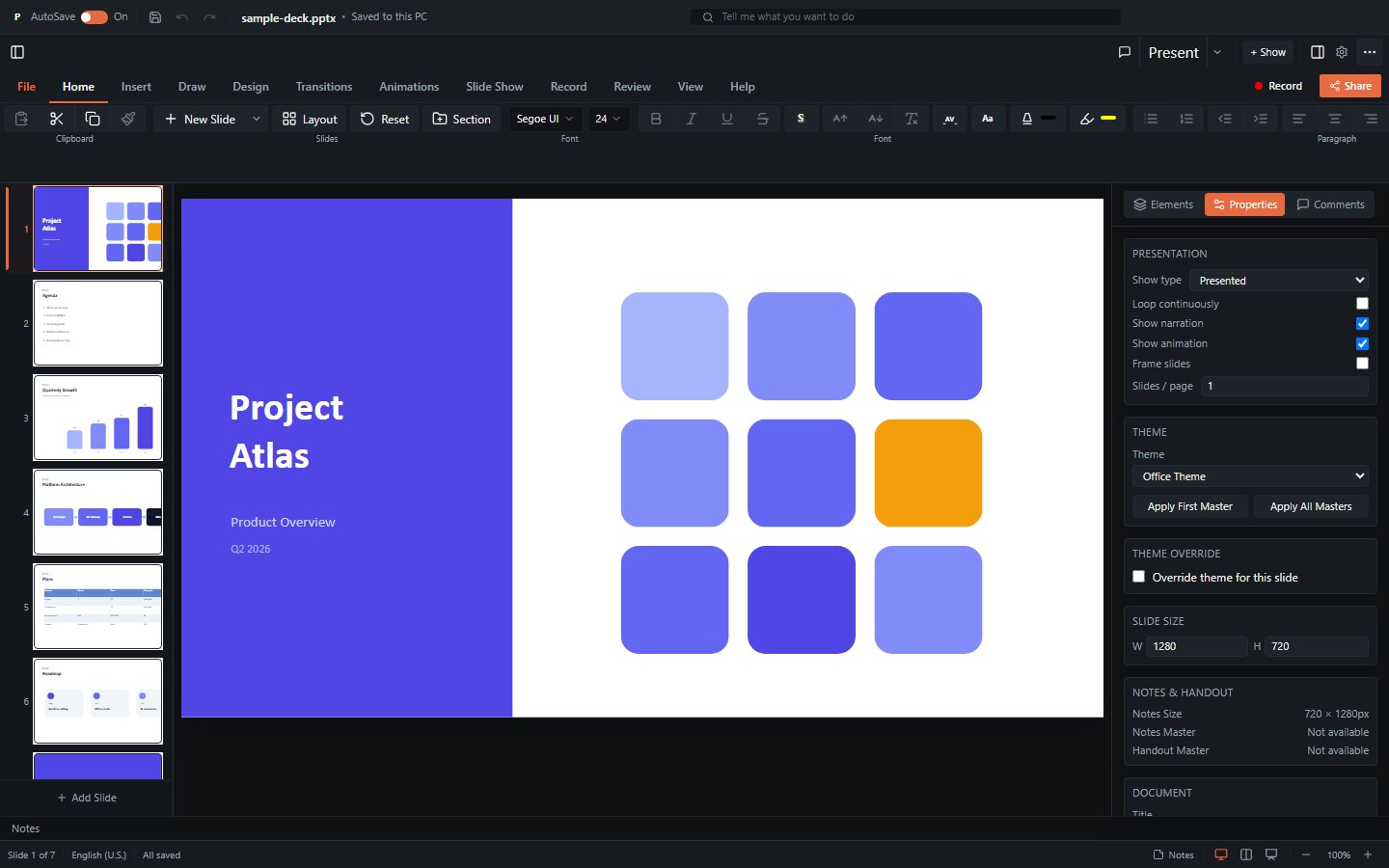
What it provides
| Capability | Summary |
|---|---|
| Viewer | Renders slides with 16 element types (shapes, text, images, tables, charts, SmartArt, connectors, media, ink, OLE, 3D models, zoom). |
| WYSIWYG editor | Insert / move / resize / delete elements, inline text editing, style editing, slide management - gated behind canEdit. |
| Presenter | Fullscreen slideshow with animation playback, transitions, speaker notes, presenter view with timer, and a mobile presenter layout. |
| Export | PNG / PDF / GIF / WebM video slide export, print, plus Save As .pptx. See Export. |
| Collaboration | Real-time multi-user editing via Yjs CRDT with presence tracking, remote cursors, and follow mode. See Collaboration. |
Element coverage
For a precise list of what the underlying parser/serializer supports - and what is approximated - see Limitations.
Installation
npm i pptx-angular-viewerThe core engine (pptx-viewer-core) is bundled in, so you don't install it separately.
Peer dependencies (you provide these in your app):
@angular/coreand@angular/common, matched to each other, on any of ^19 / ^20 / ^21 / ^22rxjs^7@ngx-translate/core^18
Why 19 is the floor
The package is built with the newest Angular but published as partial (linkable) declarations, so the real floor is whatever those declarations demand plus the runtime behaviour the source assumes. Two v19 defaults set it: components are standalone without standalone: true, and effect() bodies write signals without allowSignalWrites. Both were introduced as defaults in Angular 19. A CI test re-derives the linker floor from the built bundle on every run, so it cannot drift silently.
Optional peer dependencies (only needed for specific features):
three- GLB/GLTF 3D models and the opt-in 3D SmartArt rendereryjsplusy-websocket(server-based) ory-webrtc(serverless peer-to-peer) - real-time collaboration
TIP
3D and collaboration features degrade gracefully. Without three, 3D models fall back to their poster image. Without yjs/y-websocket/y-webrtc, the viewer runs in single-user mode.
Import paths
Unlike React (pptx-react-viewer + pptx-react-viewer/viewer), Angular's ng-packagr build produces a single entry point: everything is imported from the package root.
import { PowerPointViewerComponent } from 'pptx-angular-viewer';The ./styles subpath exports the bundled stylesheet (see Getting Started), and that is the only other export map entry - there is no separate /viewer or /i18n subpath the way React and Vue have. translationsEn, keyToLabel, theme utilities, and every other named export all live at the package root; see Localization for the i18n specifics.
Rendering philosophy: CSS, not Canvas
Slides are rendered with CSS positioning and transforms (scaled HTML/SVG), not an HTML Canvas. This provides:
- Crisp text at any zoom level
- Native browser text selection and accessibility
- DOM-based interaction (click, drag, resize hit-testing)
- Standard CSS effects (shadows, gradients, borders)
The tradeoff is that some visual effects are approximated (backdrop-filter, mix-blend-mode, CSS 3D, path gradients). Raster export goes through html2canvas-pro, which has its own constraints. The full list lives in Limitations.
Internal architecture: services and standalone components
PowerPointViewerComponent is a thin, OnPush, signal-driven orchestrator. Its logic is decomposed into roughly four dozen @Injectable orchestration services (provided on the component and wired together with inject() and a bind() handoff pattern) plus 200+ standalone child components and pure helper functions, mirroring React's 80+ internal hooks and Vue's composables. Most of these are internal architecture, but a curated subset is re-exported from the package root for building custom UI around the viewer. See Services for which are public API.
Key exports
| Export | Kind | Purpose |
|---|---|---|
PowerPointViewerComponent | standalone component | The main viewer/editor component (pptx-viewer selector). |
LoadContentService, ExportService, ... | services | Curated orchestration services also usable outside the component. See Services. |
ViewerTheme, ViewerThemeColors | types | Theme configuration types. See Theming. |
provideViewerTheme, VIEWER_THEME | provider/token | App-wide theme sharing via Angular DI. |
defaultThemeColors, defaultRadius | const | Built-in dark-theme defaults. |
vermilionLightTheme, vermilionDarkTheme | const | Ready-made light/dark theme presets. |
themeToCssVars, defaultCssVars, themeStyle | function | Convert a theme to --pptx-* CSS vars / an [ngStyle] map. |
translationsEn, keyToLabel, TranslationKey | const/function/type | English i18n dictionary and fallback-label helper. See Localization. |
renderToCanvas | function | Render a DOM element to a Canvas with an oklch-colour workaround. |
Next steps
- Getting Started - a minimal working example.
- Component Inputs & Outputs - the complete
@Input()/@Output()reference. - Public API - the methods exposed on the component instance.
- Theming - colours, radius, CSS vars, DI provider.
- Services - architecture and the public service surface.
- Export - PNG/PDF/GIF/video and the html2canvas-pro pipeline.
- Collaboration - Yjs co-editing and presence.