Collaboration
pptx-viewer supports real-time co-editing: several people open the same presentation and see each other's changes as they happen.
Optional and developer-configured
Collaboration is an optional feature. If you do not see a Share button, the app you are using was built without it. Developers: see /react/collaboration.
Starting a session
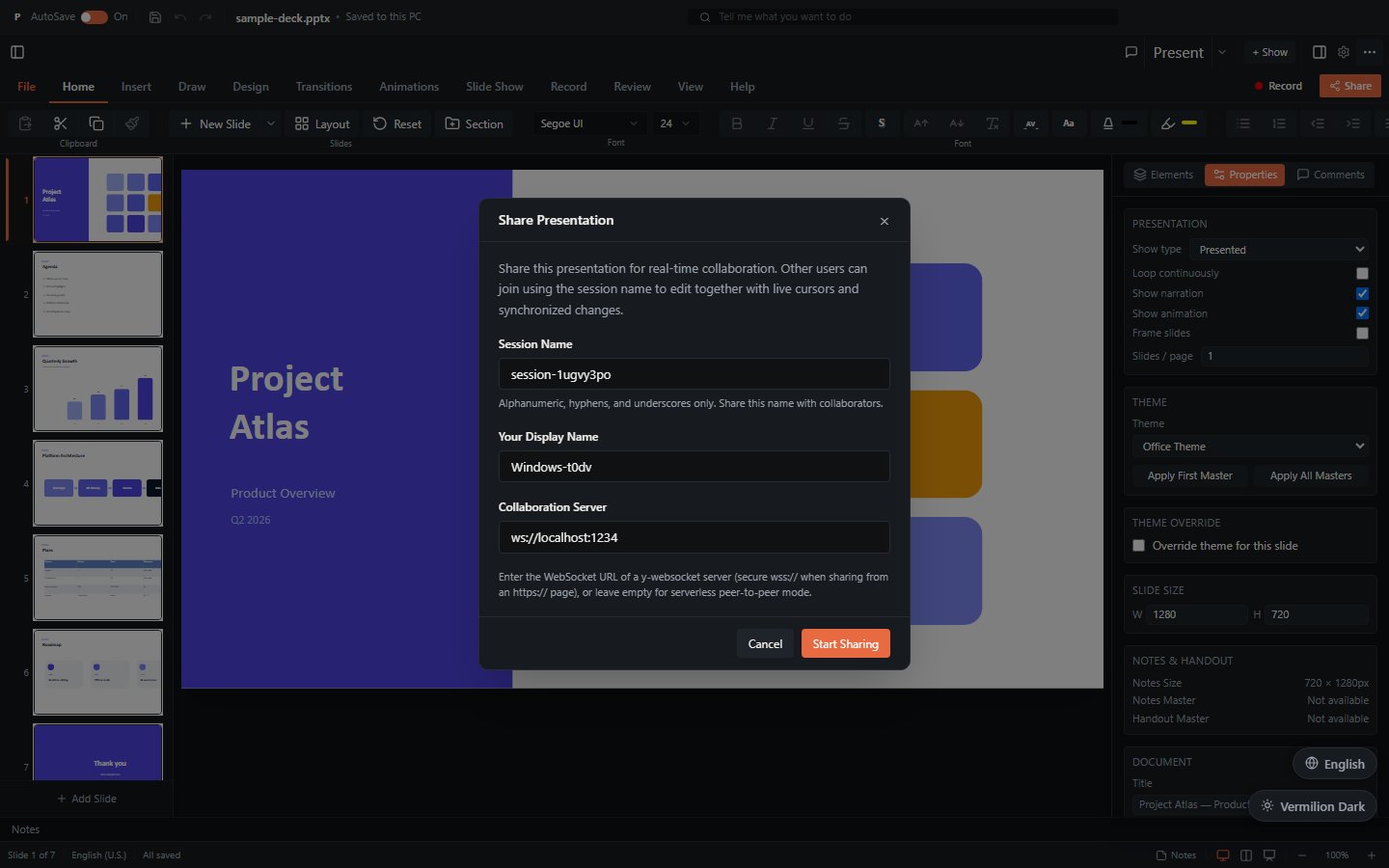
- Click the Share button at the right end of the ribbon tab row (or File > Share > Share with People). The Share Presentation dialog opens on its Create session tab.
- Fill in:
- Session Name - the room identifier (letters, numbers, hyphens, underscores). Collaborators need this name.
- Your Display Name - how you appear to others.
- Collaboration Server - optional. Leave it empty for a peer-to-peer session, or enter your organisation's collaboration server address (a
wss://...URL).
- Click Start Sharing.
Once the session is live, the dialog shows a Share Link with a Copy URL button. Send that link to your collaborators. The dialog also lists Connected Users and which slide each person is on. The Share button in the toolbar turns green and shows the participant count while sharing is active.
To end the session, open the dialog again and click Stop Sharing.
Joining a session
Either open a share link someone sent you, or join manually:
- Click Share and switch to the Join session tab.
- Paste the invitation link, or enter the room ID, into Invitation link or room ID.
- Enter your display name and, if the session uses one, the collaboration server address.
- Click Join session.
Presence indicators
While a session is active you will see:
- Avatar bar - coloured circles in the toolbar for each participant (up to five, then a "+N" overflow chip). Your own avatar has a white border.
- Remote cursors - each collaborator's pointer moves on the canvas with a coloured name label. Cursors appear only for people viewing the same slide as you.
- Remote selections - when someone selects an element, it gets a coloured outline with their name, so you know what they are working on.
- Follow bar - a strip at the top labelled Follow a collaborator. Click a person to follow them: your view then switches slides whenever they do. Click Stop to go back to browsing on your own.
- Connection status - a dot in the status bar: green Connected (with the user count), yellow Connecting..., gray Disconnected, or red Connection error with a Retry button.
How simultaneous editing behaves
Edits are merged automatically with conflict-free data structures:
- Two people changing different slides, or different elements on the same slide, never overwrite each other.
- Two people typing in the same text box merge at the character level, like a shared document editor.
- If your connection drops, you can keep editing; your changes sync when the connection comes back. Watch the status dot: while it shows Disconnected, others are not seeing your latest edits yet.
Coordinate the big moves
Merging protects you from lost edits, not from surprises. Deleting a slide someone else is working on still deletes it for everyone, so agree on who owns which section for heavier restructuring.
Peer-to-peer or relay server
The Collaboration Server field decides how participants connect:
- Empty (peer-to-peer) - browser tabs on the same device always find each other, and people on other devices connect directly to you through public WebRTC signaling servers. This is the quickest way to try collaboration; the hosted demo works this way.
- Server address set - everyone relays through a dedicated collaboration server. Use this when your organisation runs one: it works through strict firewalls and NAT where direct peer connections fail, keeps the room available while any participant is connected, and can be paired with authentication and server-side persistence by the host application.
Use wss:// on secure pages
When the app is served over https, the server address must use wss:// (a secure WebSocket), or the browser will block the connection.
Broadcasting a slideshow
Broadcast is one-way collaboration: you present, viewers follow.
- Click Slide Show > Broadcast (or Present Online in the Present menu). The Broadcast Slide Show dialog opens.
- Check the pre-filled Broadcast Session name and your Presenter Name, and set or clear the Collaboration Server as above.
- Click Start Broadcast. The app enters presentation mode and the dialog shows a Viewer Link with Copy URL.
- Share the viewer link. People who open it see your slides advance in real time; the dialog counts your viewers.
- Click Stop Broadcast when finished.
Comments work alongside live editing
Comments (see Editing > Comments) are saved with the presentation and are a good way to leave feedback for collaborators who are not online at the same time.